





Enjoy Cinematic Blu-ray Movie Playback
Forward this article:



What’s a Blu-ray player? With powerful storage space to store better-formatted images and audio, Blu-ray has become popular, and many movie lovers tend to collect and watch Blu-ray discs rather than normal DVDs. And most importantly, not all DVD players are compatible with Blu-rays.
That’s why many people are struggling to find the best, even free Blu-ray player software for PC & Mac. How to buy the best Blu-ray player? The 7 best 4K Blu-ray players we selected as the best ones will be listed. Honestly, the most recommended tool is VideoByte Blu-ray Player through testing. With more details on each Blu-ray player, please read the passage.
Last Updated: May 2026 (Tested on latest Windows 11 & macOS)
Click the product name below to jump directly to our in-depth hands-on review for each player.
| Product | Best For | Region-Free | 4K Support | CPU Usage |
|---|---|---|---|---|
| VideoByte Blu-ray Player | Ultimate choice for playing commercial Blu-rays. | ✅️ (Bypasses Regions A, B, C automatically) | ✅️ | Low (~8% - 12%) |
| VLC Media Player | Best open-source tool for tech-savvy users | No (Requires manual AACS library configuration) | ❌️ (Shutter on heavy 4K HDR files) | Medium (~15% - 20%) |
| Leawo Blu-ray Player | Decent option for playing standard DVDs on older PCs | ✅️ | ✅️ | High (~25% - 30%) |
| PowerDVD 23 | Premium home theater experience with advanced audio | ❌️ (Strict region code changes limited to 5 times) | ✅️ | Medium (~12% - 18%) |
| PotPlayer | Highly customizable playback with rich filters for Windows | ❌️ (Depends on external decoders) | ✅️ (Smooth configuration required) | Low (~10% - 14%) |
| Free Blu-ray Player | Simple and clean interface for basic Blu-ray ISO playback | ✅️ | ❌️ (Supports 1080P) | Low (~9% - 13%) |
| GOM Player | Subtitle-heavy movies and basic media file management | ❌️ (need to install the codec, open the MPEG-2 dec filter, or change a finite number of region codes) | ✅️ (Smooth for regular 4K MP4/MKV files) | Medium (~15% - 22%) |
 How we test
To ensure an objective review of the 7 free Blu-ray players, our team conducted 24-hour real-world testing on a standard Windows 11 PC and an M2 MacBook Pro. We used 3 commercial 4K Blu-ray discs from different regions (US, UK, and Asia) to see which players could actually bypass regional locks, provide high-quality output, and consume the least system resources during a 30-minute playback.
Supported OS: Windows 11/10/8/7/Vista/XP (SP2 or later), Mac OS X 10.9 or above (including macOS 26)
Target User: Moviegoers who have lots of encrypted original Blu-ray discs from abroad want to enjoy cinema-level viewing without complex settings.
 Pros
Pros
 Cons
Cons
If you are looking for professional but free Blu-ray player software for PC/Mac, VideoByte Blu-ray Player, with excellent compatibility in any aspect, can suit your needs. It works well on Windows and Mac, and plays Blu-rays smoothly with region codes and AACS, BD+, Cinavia, APS, CSS, ARccOS, and CPRM. It offers a Blu-ray menu preserving all subtitles, audio tracks, chapters, etc. for you and provides clear playback control. Better still, VideoByte not only supports Blu-ray discs, but also ISO images, and BDMV files/folders, as well as common videos.
The software allows you to experience wonderful 4K UHD Blu-ray playback with cinematic audio decoding systems like Dolby. What’s more, this Blu-ray player has unique hardware acceleration technology, which is able to save 40% of the CPU resources and ensure smooth running of your computer even while playing the lossless movies.
It provides free lifetime technical updates and on-demand technical support. You have totally 30-days free trial to check its Blu-ray playing features and evaluate if it’s what you want. Follow the steps to learn how to play Blu-ray on Windows 10/11 or macOS. Due to the space limit, we only use the Windows version to make the simple guide. But the operation of the Mac version is very similar.
How to play Blu-ray on PC with VideoByte?
Step 1. Download and install the program on your PC. Insert the Blu-ray disc into an internal or external drive.
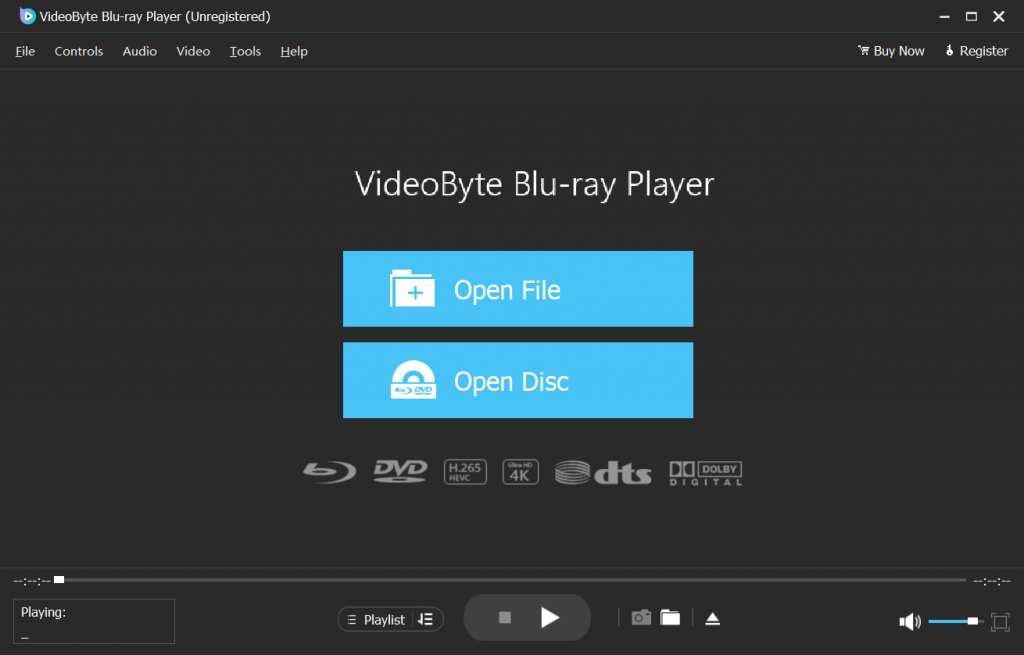
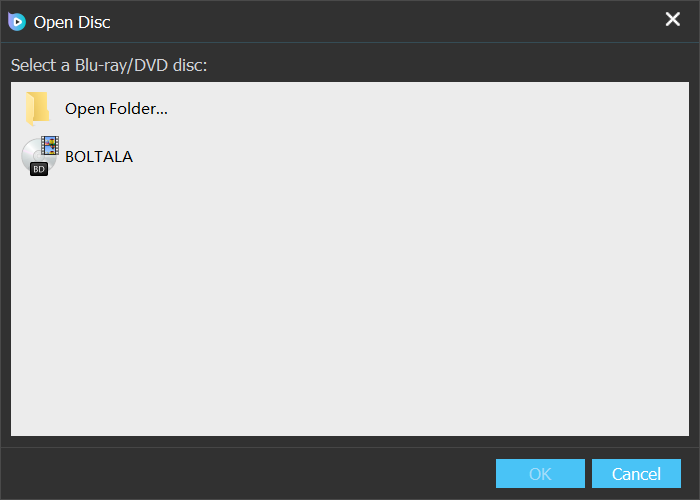
Step 2. Click "Open Disc" on the main interface and choose the target one, then click "OK".
Step 3. Now you can customize subtitles, audio tracks, or video settings and enjoy your Blu-ray movie!
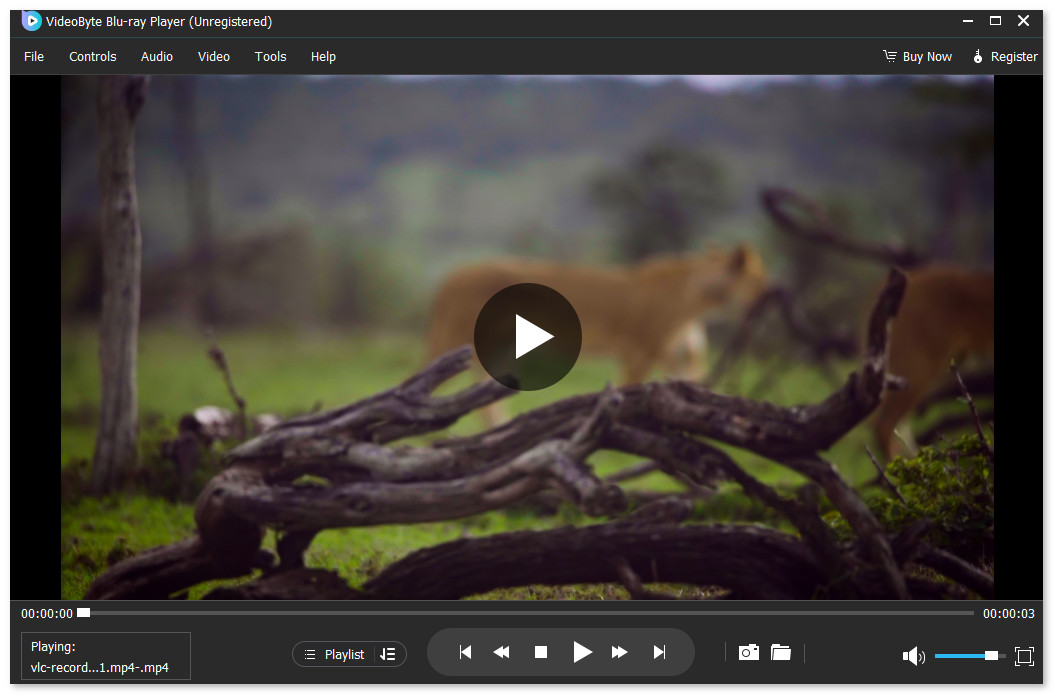
VideoByte is my go-to choice - In my experience, while other players throw errors on tough region-locked discs, VideoByte bypassed the AACS protection on my test Region-B disc in seconds. I can watch a 2-hour movie while keeping my CPU usage at a mere 7.5%, Fantastic! To be completely fair, the free version does leave a subtle watermark, but if you just want to pop a disc in and enjoy your movie night without technical headaches, this is it.
User Review from Trustpilot:
As a relative novice, it was amazing to find a true "plug and play" program. I have a large collection of Blu-rays and DVDs from all over the world. VideoBytes has no problem handing my "multi-region' discs nor commercial-protected discs. - Tony Denton
Once you want to get rid of Blu-ray player drives and want to enjoy Blu-ray movie everywhere on any common media player, you can use a professional Blu-ray ripper like VideoByte BD-DVD Ripper to rip Blu-ray to regular formats like MKV/MP4 for easy playback.
Supported OS: Windows XP SP3 – 11, macOS X 10.7.5 or later, Linux
Suitable Crowd: Users who are good at Blu-ray decoding and plugin installation, and willing to crack AACS keys on their own.
Pros
Cons
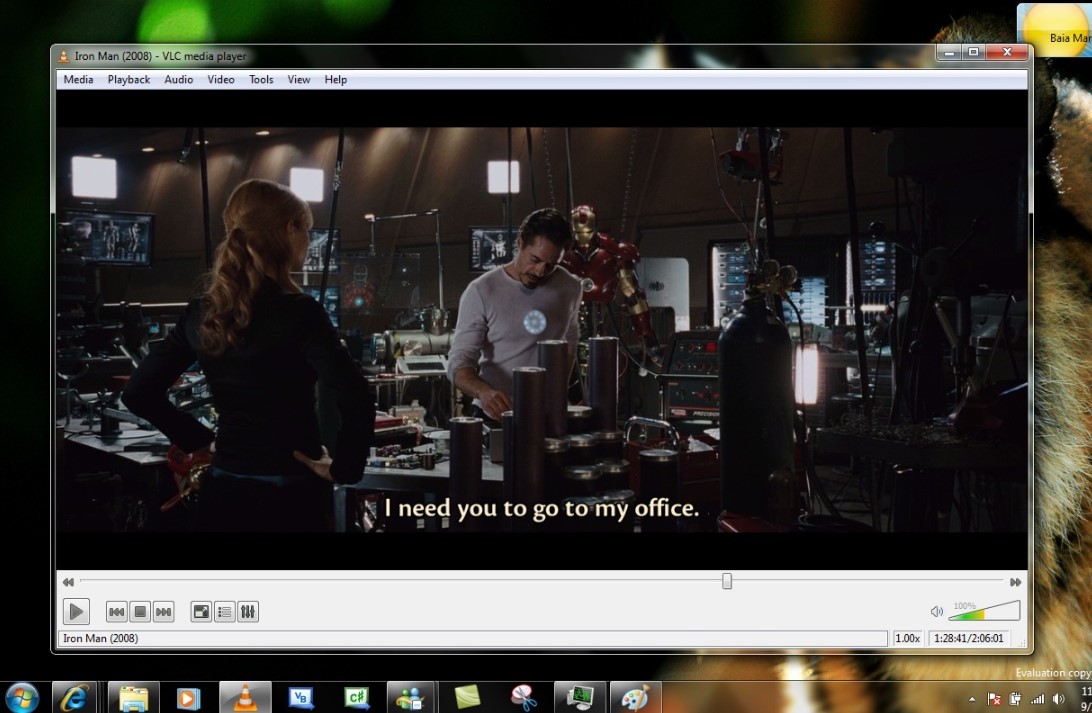
VLC media player is the most common and popular media player that supports playing DVD, CD, and VCD discs on your computer. You can count it as one of the free Blu-ray players for Windows 11/10 that is worth playing unprotected Blu-ray discs.
Note that Blu-rays with AACS protection require you to add plugins to play. The setup is somehow tech-savvy. Although it doesn’t support playing Blu-ray discs directly, this software enables you to add some compelling features after detailed and careful research to improve your experience and avoid any playback failure.
How to Play Blu-ray Disc with VLC
Step 1. Add the KEYS DATABASE(KEYDB.cfg) and AACS DYNAMIC LIBRARY (libaacs.dll for Windows or libaacs.dylib for Mac) first.
Step 2. Set files in your target local folder. On Windows, place the KEYDB.cfg file in your C:\ProgramData\AACS\ folder and the libaacs.dll in your C:\Program Files\VideoLAN\VLC\ directory. On Mac, place libaacs.dylib into /usr/local/lib/.
Step 3. You can successfully play Blu-ray by going to "Media" > "Open Disc" > "Blu-ray" > "Play".
Related Article: Play Blu-Rays with VLC in Windows/Mac [Review & Alternative]
User Review from Reddit:
"I tried to test out my Blu-ray player with VLC Media Player on Linux. But when I put in a Blu-ray, I got an error pop-up saying the following:
Blu-ray Error:
This Blu-ray Disc needs a library for AACS decoding, and your system does not have it.
Your input can’t be opened:
VLC is unable to open the MRL ‘bluray:///dev/sr0’. Check the log for details.
This test was done on the latest version of Linux Mint 22, the latest version of VLC Media Player, and a copy of 300 on Blu-Ray. I also tested this with 1917, TMNT, and Spaceballs on Blu-ray and got the same results. I’m confused as to what this all means and how to resolve it." - DavidBunnyWolf
Obviously, it’s a bit complex to play Blu-rays with VLC smoothly, and many encrypted Blu-rays are not supported. If you don’t want to be bothered by the extra steps, just try the free Blu-ray playing software: VideoByte Blu-ray Player, which helps you deal with Blu-ray discs within a few clicks.
Supported OS: Windows 7/8/8.1/10/11, macOS 10.13 and later
Target User: Pragmatic customers with limited budgets want to bypass region restrictions without paying for premium software. (But to be honest, its pricing plan is also a little bit higher.)
Pros
Cons
Leawo Blu-ray Player is one of the best Blu-ray player software, which can play Blu-ray disc, Blu-ray folder, Blu-ray ISO file as well as DVD, normal video and audio. It’s an all-in-one solution for your video playing needs. As one of the best Blu-ray players, it is very convenient to adjust subtitles, audio tracks, and Blu-ray chapters during playback. Moreover, owning its advanced decoding technologies, this free Blu-ray player supports to play 4K Blu-ray disc without any quality loss. Thus, there is no doubt that this user-oriented software will always offer great movie enjoyment.
However, this free Blu-ray player now only provides basic options for Blu-ray disc playback, and we find it possible to lose the original Blu-ray menu, which may bother you. And you could find that only 5.1 surround sound is supported but not the 7.1 one, which might be one of the limitations of its free trial. Besides, its interface is a bit outdated, and you may find the ads appear when you pause the movie.
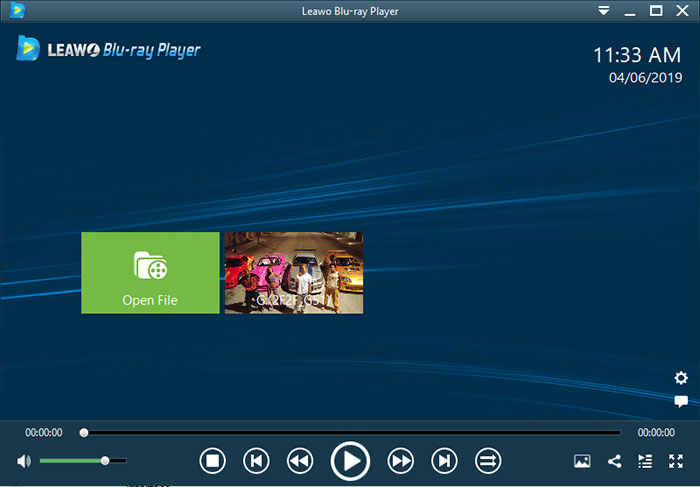
Said a user (called Kenny75 Photography) on Trustpilot, "I recently purchased the pro version of the Leawo Blu-ray player software, which I had a number of issues with on my external Blu-ray drive on my PC. On trying several discs, load times were 2 to 3 mins on average, menus wouldn't load properly either, and it would play random chapters."
You may notice that Leawo supports a few Blu-ray playback features, and its menu is not that useful. The ads can also impair your viewing experience. Therefore, if you want a better Blu-ray player for PC/Mac with a more enjoyable playback experience, you can try VideoByte.
Supported OS: Windows 10/11 (64-bit)
Suitable for: users with ample budget. If you have the ultimate pursuit for theater experience, or you may have a set of premium audio systems and a top screen, making it a more vibrant choice.
Pros
Cons
Many of you may have heard of CyberLink PowerDVD, the cutting-edge Blu-ray player software for wonderful playback experience for Windows 11/10. The first and most competitive part is that you will never worry about the visual quality as it not only supports 4K but also 8K UHD playback. What’s more, with detecting all the original content, it will keep the original menu for easy control and even support the second subtitle display which is amazing if you want to learn the foreign language.
Honestly speaking, PowerDVD 23 has made its best and outperforms many competitors, but we have to tell you that all its functions are available only when you have paid for it, and the price would not within your budget. There’s no free trial, and advanced options require more dollars. But after all, it could be counted as one of the best 4K Blu-ray players.
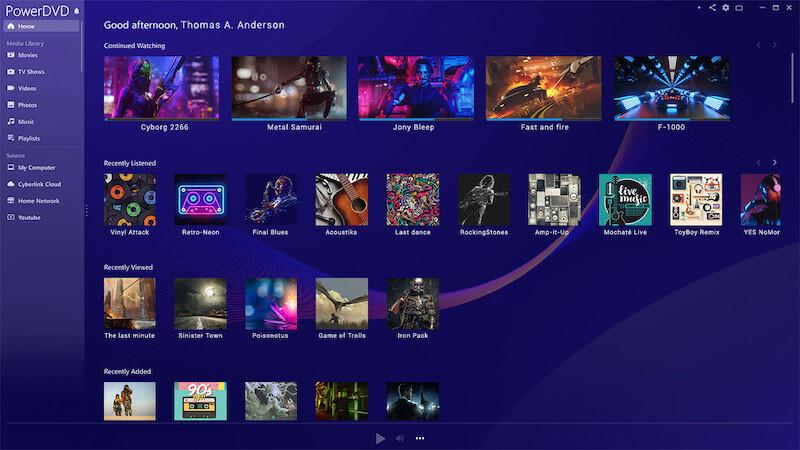
In our test, its performance for playing Blu-ray is unstable. Sometimes, it can’t locate the drive or bypass the latest AACS keys. There are other issues, like stopping to load, compressed image, etc.
"I use an external Blu-ray disc drive on a Windows 11 PC. The software I use to play Blu-rays is PowerDVD 23. I am from the UK, so it would be Region 2 Blu-rays we are talking about here.
The issue I am having is that Blu-rays like The Godfather trilogy don't load on the PowerDVD 23 player. They begin to load, then get to 97% - 99%, and then give up. Other Blu Rays like Pulp Fiction play reasonably well but can be pixelated in places." - A post on Reddit.
Supported OS: Windows 11/10/8.1/8/7 (32bit/64bit)
Pros
Cons
PotPlayer is a totally free Blu-ray player software on PC, which can play unprotected Blu-ray discs, Blu-ray ISO, DVD, CD, and audio & video files. By using DXVA, CUDA, and Quick Sync, you will gain maximum performance with the minimum resources. And one more attractive feature is that it supports various types of 3D glasses, which means you can enjoy 3D movies at any time.
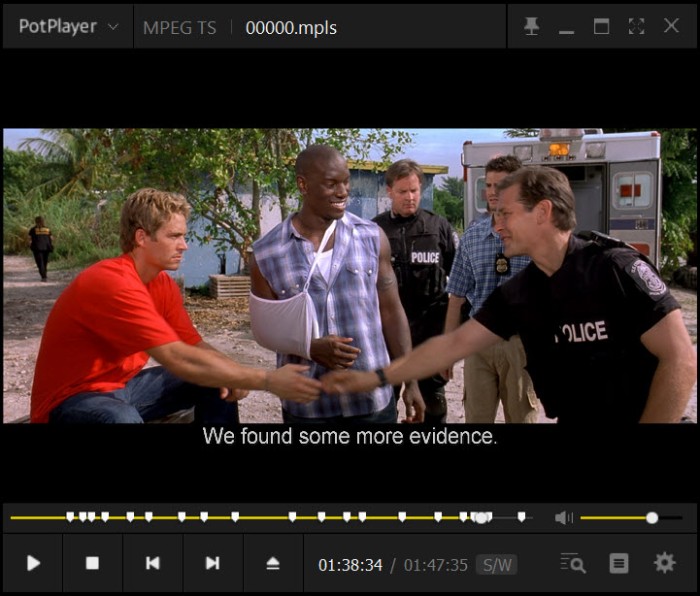
As the tech expert at Download.com highlighted in their recent review (April 15, 2026), compared to the conventional Windows Media Player, this media player surpasses it with its broader format support and superior performance. In my own testing, I felt exactly what he meant - it delivers a seamless viewing experience with minimal utilization of system resources.
Supported OS: Windows 11/10/8/7, macOS X 10.9 or above
Best For: Whatever…since it’s completely free, it’s worth a try!
Pros
Cons
Free Blu-ray Player, as the name suggests, is a totally free Blu-ray Player. Its concise and user-friendly layout makes it easier to operate. The useful region-free feature enables you to play Blu-ray discs/folders/ISO image files, and most common video formats.
But you need to notice that this region-free Blu-ray player can just play some of the latest, but not all, Blu-ray movies with high video quality. Worse yet, its free version does not support watching Blu-ray movies in full screen, which can influence your viewing experience. Only upgrading to the paid version can you watch all Blu-rays with more functions.
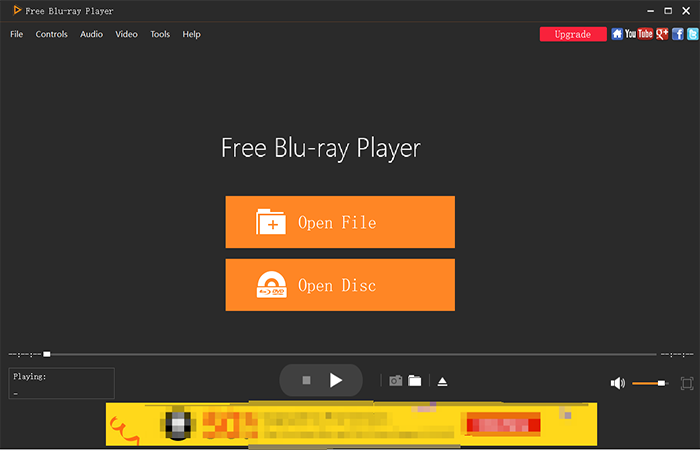
How to Play Blu-ray Disc with Free Blu-ray Player?
Step 1. Insert your Blu-ray disc into the Blu-ray drive, and click "Open Disc" on the interface.
Step 2. When it detects the disc, you can choose the chapter, subtitle, audio, and titles. Then click "Play Movie" to enjoy it.
I must say, you can notice that the player will post ads on the interface, which may disturb your Blu-ray playback experience.
Supported OS: later Microsoft Windows 10(64bit), Mac OS X 10.13(High Sierra) or later
Author Note: It’s another popular Blu-ray player that can play all the weird video files. Some say GOM was the silent MVP before Netflix and YouTube ruled, Ha haaa!
Pros
Cons
In the free version of this free Blu-ray player, you can play unprotected Blu-ray discs/folders/ISO images. But when you play a protected video, it will pop up a window that reminds you to find an additional codec to unlock the file. Fortunately, its library supports many built-in codecs. Its large collection of subtitles also enables it to search and sync subtitles for the movie you are watching. However, for the most part, buggy playback and less-than-stellar navigation do not make this prime time-ready.
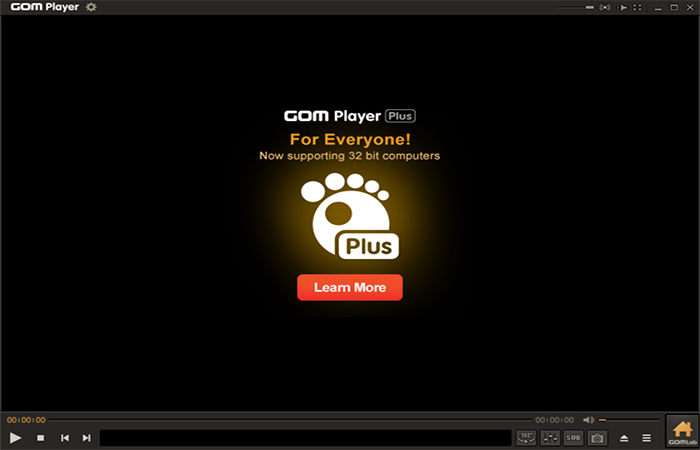
How to Play Blu-ray Disc with GOM Player?
It’s easy to use GOM Player. You just need to ensure your drive detects the Blu-ray disc and launch GOM Player to choose the disc to play.
As a comment on Reddit says, "It won't play files I've already played with the old one. It needs Codecs…my main problem is it no longer plays anything but music and simple MP4s, and I no longer trust re-downloading the codecs."
The test results can tell that, although it is free, it’s not the best option for playing Blu-ray on PC or Mac. Its free version is ad-supported, and the price of the full version is higher than other common Blu-ray players in the market. More importantly, this software undoubtedly needs some improvements in loading Blu-ray discs and playback because it always crashes.
First of all, you have to check if your external Blu-ray drive and Blu-ray disc are both ready to connect. Secondly, download powerful and stable Blu-ray player software that suits your computer and launch it. In the above text, we’ve introduced 7 free Blu-ray player software to you, among which we still recommend VideoByte Blu-ray Player most. Finally, the installed Blu-ray player will detect and open your disc quickly and automatically.
Sorry to tell you: No. The disc storage formats of Blu-ray disc and DVD are totally different. Blu-ray is a replacement technology for DVD and it requires specialized Blu-ray player to play Blu-ray videos. But you can play DVD on Blu-ray players.
If you want to watch Blu-ray movie but only with a DVD player, you can check this post to find the detailed solution: Can a DVD Player Play Blu-ray? [Ultimate Solution]
Yes, all standard Blu-ray players are compatible with regular DVDs, which means you can have one player for Blu-ray and DVD discs. If you also collect some DVD movies or other 4K videos, I highly recommend your try the VideoByte Blu-ray player! You can check how to play DVDs on Windows 10 here for more details.
VideoByte Blu-ray Player is highly recommended because of its excellent performance on sound and image quality, and compatibility with all types of Blu-ray discs/files even if they are encrypted. It’s available on Windows and Mac, and it’s professional but user-friendly for any beginner. Therefore, it’s the best Blu-ray player we’d like to recommend.
First of all, you need to check whether there are scratches or dirt on the disc. If so, try to clean it up carefully. Then, check your optical drive. Blu-ray discs can be played on the Blu-ray optical drive, not the DVD optical drive.
View the detailed introduction: Most Complete Methods to Fix Scratched DVD
After viewing all the free Blu-ray player software programs, you may find that almost all of them have their own issues with Blu-ray playback. Although free is a big advantage, our advice is to choose VideoByte Blu-ray Player for better Blu-ray enjoyment. This best 4K Blu-ray player works perfectly on playing encrypted Blu-ray and DVD discs, as well as common video/audio files on the computer. At present, no obvious shortcomings have been found. It is stable and easy to control. Just try with the best Blu-ray player for PC & Mac and you’ll love it.
Hot Articles
by in 5 September, 2025
by in 25 May, 2026
by in 21 August, 2025

 English
  Korean
  Dutch
Dutch  Chinese
  Italian
  Spanish