





Enjoy Cinematic Blu-ray Movie Playback
 Key Takeaways
Leawo Blu-ray Player is a free media player software that stands out for the feature to play DVD/Blu-ray discs. However, this freeware comes with noticeable drawbacks, leading many users to be detracted from the experience. You can jump to Part 2 to check out if you have the same issues during playback. To enjoy a seamless, cinema-like playback, explore a much more powerful and ad-free professional alternative from Part 3.
Leawo Blu-ray Player has been popular software for DVD and also Blu-ray streaming. But as you have never tried it before, you may wonder how will Leawo Blu-ray Player work for you. Is it safe? Or whether there is anything you need to pay attention while using? So in this article, we will introduce the software with some reviewed details provided to you. Now, take this Leawo Blu-ray Player review before getting started to use it!
Leawo Blu-ray Player has been a popular Blu-ray player for Windows and Mac users to have high-quality Blu-ray as well as DVD disc playback with smooth experience. There are its main features you may be concerned about before starting to use it.
Support Protected Blu-rays and DVDs
It can unlock all region codes and then successfully play common videos, Blu-ray/DVD discs, folders, and ISO images for you. If you have bought a commercial one, you can insert it into your computer and play it with Leawo Blu-ray Player without compatibility restrictions.
Play Videos with HD or Higher Resolution
This media player can play all DVDs, Blu-rays, and common videos in MKV, MOV, MP4, WMV, FLV, MKV, and more formats with original quality without compressing them at all. For higher 8K effects, you are also allowed to enjoy videos in HD MP4, HD AVI, HD MOV, HD TS, HD TRP, HD VOB, HD MPG, HD WMV, HD ASF, etc.
Supports Lossless Audio Experience
Leawo Blu-ray Player offers pure stereo audio output. You can play back audio files with a visualized interface for better music enjoyment, in AAC, AC3, MP3, M4A, MKA, WAV, WMA, etc., based on different decoding technologies like Dolby, DTS, AAC, TrueHD, DTS-HD, etc.
Takes Low CPU to Play Videos Fluently
While playing a disc, it won’t use up much CPU on your computer, but it provides you with a fluent experience (it will still take a high CPU while loading the disc at the beginning). It also makes the software quite easy to operate - you will find it convenient to use even if you are a new user.
Although Leawo Blu-ray Player has been a popular tool on Windows and Mac for high-quality and smooth playback, it is not perfect, with some disadvantages. This part will show you some details when we are testing the software.
 Pros
Pros
 Cons
Cons
How to Use Leawo Free Blu-ray Player?
Step 1. Select Disc Type
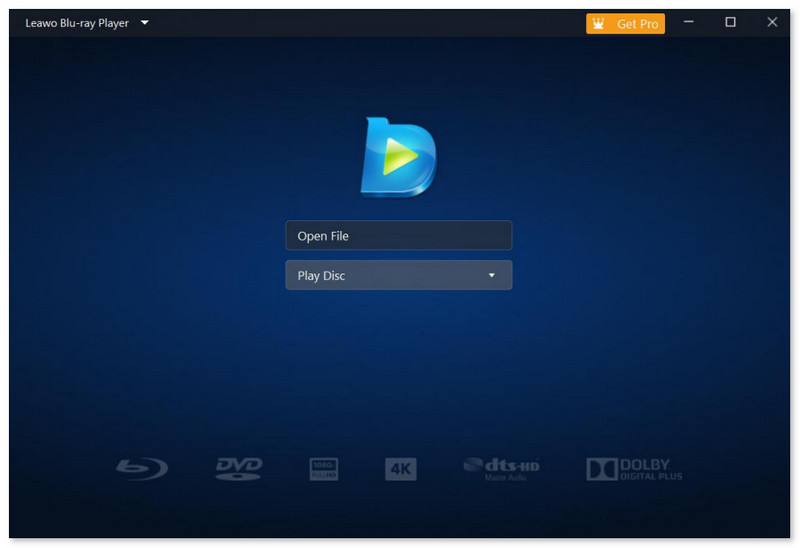
The default interface doesn’t have the "Open Disc" option. You have to insert your Blu-ray/DVD disc into your computer. After your computer recognizes it, your disc will appear on the main interface.
Step 2. Play Blu-ray/DVD Disc
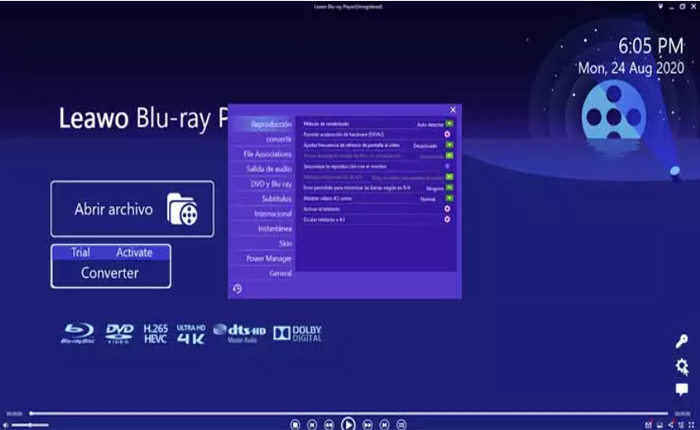
Click on the disc, and it will prompt attention that "Mouse operation on disc menu is not applicable now. Please try to use Virtual Remote Controller or keyboard". After you choose "Yes", you can select the subtitle and go to the Blu-ray menu, which comes from the source disc. From the menu, you can choose to play the main movie, select scenes, play bonus features of the movie, etc.
User Experience
It takes 32 seconds to load this Blu-ray disc. And when loading this disc, the CPU time it took to run is too high. When the movie played for 12 minutes, it froze, and I couldn’t even close it. We waited for a long time to let it recover to play, but it failed.
Then, we restarted this program and repeated these steps to play another disc. However, it also crashed. After we tried several times, it only played one disc successfully.
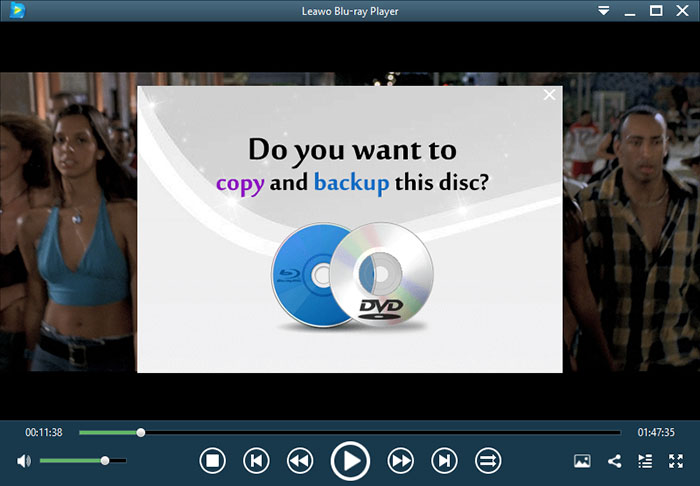
There is an annoying pop-up whenever you pause a movie, asking if you want to "copy and backup the disc" – an advertisement for other Leawo software. You would find that Leawo Blu-ray Player needs you to subscribe to its Pro version if you want to use all its functions and have an ad-free playback experience.
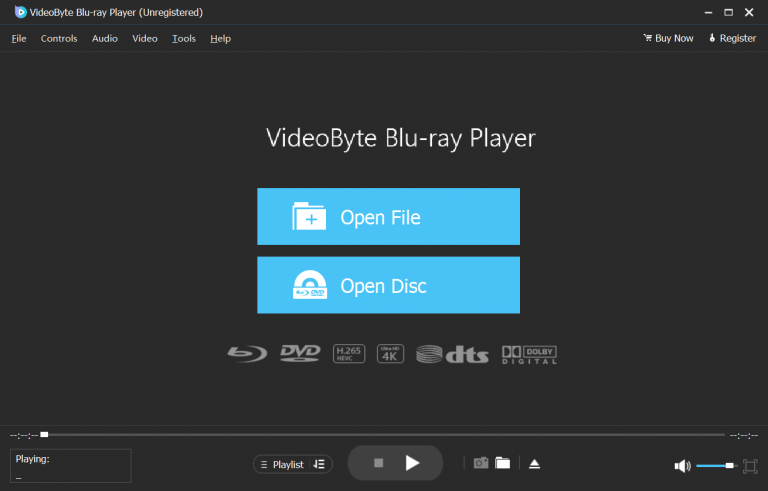
For sure, not all of users can endure Leawo Blu-ray Player’s constant crashes and buffering. So, are there any substitutions to Leawo Blu-ray Player? Sure! VideoByte Blu-ray Player is highly recommended as the best free Blu-ray player to you. Unlike Leawo, VideoByte Blu-ray Player offers a smooth experience, allowing you to enjoy the DVD/Blu-ray playback at no cost.
Meanwhile, its powerful ability also makes it possible for you to use the software to play protected discs, including both DVDs and Blu-rays in different region codes. Better than Leawo Blu-ray Player, VideoByte Blu-ray Player, VideoByte will not add any ads to the software, so you can have a clean playback interface to enjoy the streaming without being interrupted at all. Also, with advanced technologies used, VideoByte Blu-ray Player will seldom occur software crash like Leawo Blu-ray Player will. You are surely to enjoy an error-free playback experience with this powerful disc player!
 Features
How to watch Blu-ray/DVD disc in high quality via VideoByte Blu-ray Player?
Step 1. Launch the VideoByte Blu-ray Player and you’ll come to the intuitive interface.
Step 2. Insert your DVD/Blu-ray disc to your external drive and go back to the program and select “Open Disc” button after the computer reads the disc successfully. Note: To read the Blu-ray disc, you have to use a Blu-ray drive. The default drive of computer is a DVD drive.
Step 3. Usually, the program can load the disc successfully. You just need to enjoy it on your computer. It won’t crash like the Leawo Blu-ray Player. But sometimes, it will also fail to load DVD/Blu-ray disc due to the DVD/Blu-ray copyright protection.
User Experience
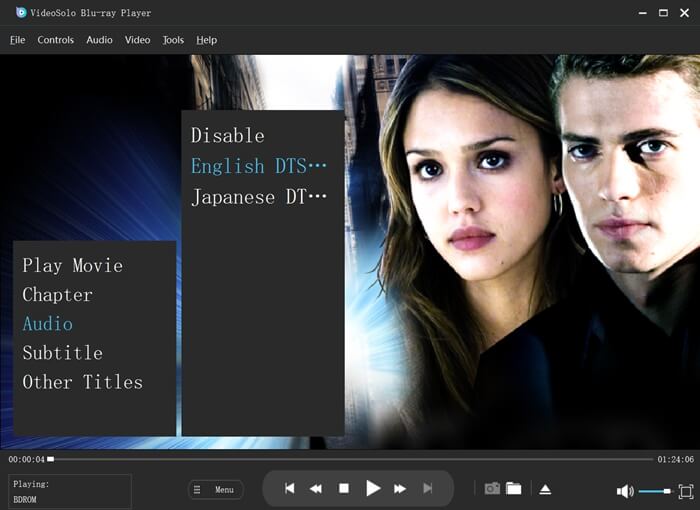
It took less than 15 seconds to load my encrypted 4K Blu-ray disc. I tested if it runs smoothly by fast-moving action scenes - there was absolutely zero stuttering, frame drops, or freezing, and my CPU usage stayed lower during 2-hour playback. The surround sound provides me with an immersive home cinema experience that standard players simply can't deliver.
Best of all, the entire playback environment is completely clean. No annoying ad pop-ups when you pause the movie, and no hidden banners pushing bundled software.
If you want an ad-free, smooth cinema experience with full original Blu-ray Menu navigation and crystal-clear Dolby/DTS audio, VideoByte Blu-ray Player is your top choice.
This comparison table will also show the differences between Leawo Blu-ray Player and VideoByte Blu-ray Player clearly to you.
| VideoByte Blu-ray Player | Leawo Blu-ray Player | |
|---|---|---|
|
Price |
From USD 29.95 (with free trial provided) |
From USD 44.95 (with free version provided) |
|
Support Media |
lu-ray, DVD, Common Video/Audio |
Blu-ray, DVD, Common Video/Audio |
|
Blu-ray Menu |
Yes |
Yes |
|
Loading Time |
5s(average) |
12s(average) |
|
CPU Usage |
Low |
High |
|
Performance |
Stable |
Terrible |
|
Ads |
No |
Yes (in free version) |
Is Leawo Blu-ray Player really free?
Some of you feel confused about whether Leawo Blu-ray Player is actually free or not. Actually, the free version of the software does offer free service to let you play DVD/Blu-ray without paying any cost. But there are still limitations in using, like there are ads to interrupt your playback experience. So if you don’t want such situations from happening, you still need to pay to upgrade to Leawo Blu-ray Player Pro version.
Is Leawo Blu-ray Player safe to use?
Completely. Leawo Blu-ray Player is designed with advanced technologies, and its data protection is well developed, without collecting any user data that would leading to privacy leaking. Therefore, Leawo Blu-ray Player is safe to use.
Which is the best alternative to Leawo Blu-ray Player in 2026?
A: VideoByte Blu-ray Player can play 4K Blu-ray/DVD/ common video (MP4, MOV, FLV, VOB, and more) playback on Windows or Mac. Unlike Leawo, you can enjoy a clear and ad-free interface, and the video does not freeze at all.
Today, we have shown you a comprehensive review of Leawo Blu-ray Player. It does offer great experience to help you play DVD/Blu-ray in HD quality, but by comparison, VideoByte Blu-ray Player will be the best free Blu-ray player for Mac and Windows if you are considering a stabler and more lightweight one without frequently crashes happening.
Hot Articles



 English
  Korean
  Dutch
Dutch  Chinese
  Italian
  Spanish