

Enjoy Cinematic Blu-ray Movie Playback
 Quick Answer
Looking for the best free Blu-ray player for your Mac? Here are our top free options for you:
Premium Recommendation🏆
If you regularly watch purchased Blu-ray disc movies on your Mac computer, VideoByte Blu-ray Player can satisfy the demands of 4K HDR playback with full Blu-ray menu navigation while decrypting protected discs.
VLC Media Player: 100% Free & Open-Source
To avoid complex decryption settings, go with VLC to play unprotected or homemade Blu-rays. Otherwise, you have to manually install external key databases to work for encrypted discs.
With so many free Blu-ray player programs out there claiming that they can handle region-locked Blu-ray discs, how to choose? Don’t worry! We’ve rounded up the top 8 free Mac Blu-ray player software, among which completely free players and paid ones that offer free trials are both included. Keep reading and get a right tool to enjoy your Blu-ray collections!
💡We provide detailed reviews of top 8 free Blu-ray players for Mac below. You can click target software name to read our testing contents and results.
How We Test
We rigorously test Blu-ray player software under standardized Mac hardware environments (Apple Silicon M-series and Intel-based MacBooks) and external drives, focusing on decryption ability (AACS/BD+, or Regions A, B, C), video quality (UHD 4K), sound performance (Dolby Atmos, DTS-HD), CPU/RAM resource efficiency, and overall playback stability, helping you to decide the most reliable tool for your media needs.
| Blu-ray discs, folders & ISO files | Protected Blu-ray | 4K UHD Blu-ray | Easy to use | Price | Supported macOS | |
| VideoByte Blu-ray Player | √ | √ | √ | √ | $49.95/ lifetime (with 30-day free trial) | Mac OS X 10.9 or above (including macOS Catalina) |
| VLC Media Player | √ | × (Only support unprotected ones & AACS) | √ (Not stable) | × | Free | Mac OS X 10.7.5 or later |
| Leawo Blu-ray Player | √ | √ | √ | √ | $44.95/year (Free for basic version) | Mac OS X Yosemite (10.10) and later |
| Macgo Mac Blu-ray Player | × (Blu-ray disc only) | √ | × | √ | $29.95/lifetime (Free for basic version) | Mac OS X 10.8 and later |
| Free Mac Blu-ray Player | √ (Not the latest ones) | √ | √ | √ | $40.21/lifetime (Free for the basic version) | Mac OS X 10.9 and later (macOS Sonoma included) |
| Aurora Blu-ray Media Player | √ | √ | × | × | $49.95/lifetime | Mac OS X 10.8 – 10.15 Catalina |
| DVDFab Ultra HD Player | √ | √ | √ | √ | $49.99/year (with 30-day free trial) | Mac OS X 10.10 – 14 |
| Elmedia Player Free | √ | × | √ | √ | Free | Mac OS X 10.12 and later |
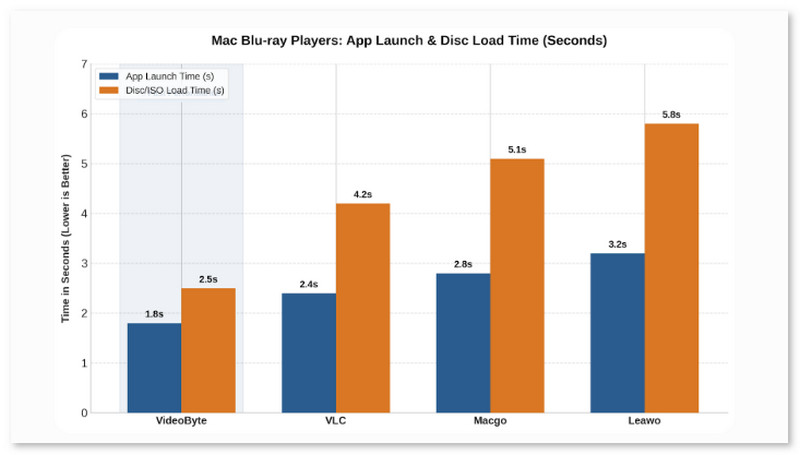
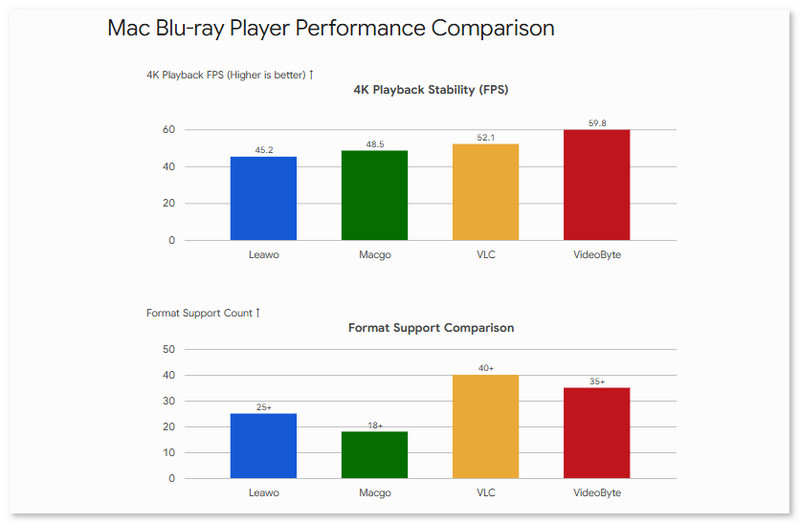
The brief selection of 4 better software listed here helps you to see the specific performance and availability requirements.
Verdict
For those who want to play homemade Blu-ray videos, a free Mac Blu-ray player like VLC is recommended. Alternatively, you can opt for a paid player like VideoByte Blu-ray Player, which offers a free trial for you to experience its robust features. It provides stable and fast playback performance, the ability to play encrypted latest Blu-ray, and compatibility with various Mac models like MacBook, MacBook Pro, MacBook Air, and more.
Our top recommendation for you is VideoByte Blu-ray Player. This Mac Blu-ray player software stands out for its excellent performance in playing Blu-ray discs, ISO, and folders. Meanwhile, it provides a professional solution to decrypting disc DRM protection and unlocking region codes to ensure 99.8% success in playing all Blu-ray discs worldwide on MacBook Air/Pro. Apart from its high compatibility with SD videos, HD videos, and 4K video playback, it also offers various advanced audio decoding technologies like Dolby, DTS, AAC, etc., to deliver the best audio quality possible.
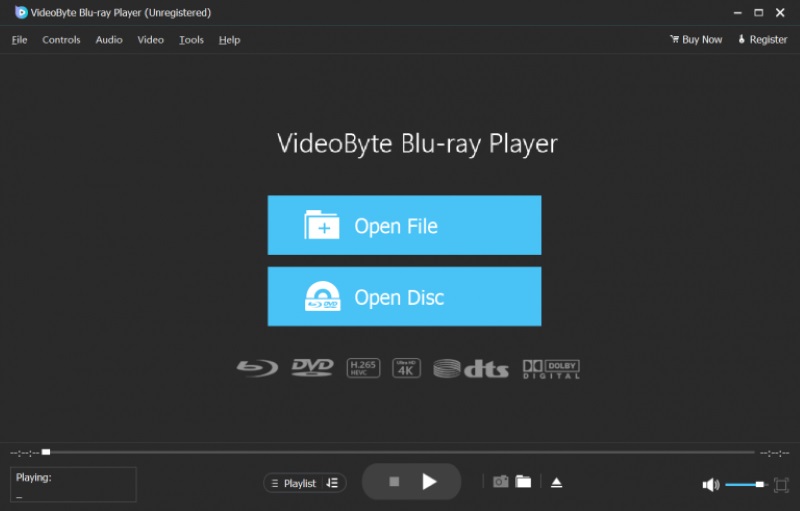
Better still, VideoByte offers easy menu control, including jumping to the target chapter in one click or selecting the subtitles and audio tracks you need. Besides, the whole Blu-ray playback process is easy and intuitive, so you won’t run into any trouble using this best Blu-ray player for Mac. Since VideoByte Blu-ray Player is great for playing Blu-ray on Mac, you will need to pay to unlock its full functions. To meet your needs, it will offer a 30-day free trial, and you can try it first to consider buying it or not.
Highlights of VideoByte Blu-ray Player:
VideoByte Blu-ray Player is a good choice for playing 4K resolution ripped Blu-ray movies on Macbook Pro/Air/iMac and delivers a cinema-like experience. Free to download and have a try!
Watch the video below to learn more about the VideoByte Blu-ray Player.
Testing Experience
Rating: 4.5/5 ⭐⭐⭐⭐⭐
“I have been looking for both a Blu-ray player for my MacBook Pro…VideoByte Blu-ray player functions better than my existing application.” —Jack Ryan, Jun 3, 2026
During our test, this player worked as expected. I tried to insert my Spider-Man: Into the Spider-Verseo Blu-ray disc using it on MacBook, after loading seconds, the movie was played smoothly with zero frame drops and the image was excellent…if I wear a 3D galsses, it’s as if I’m sitting in a cinema hhhh!
Elena Opris, professional Softpedia editor, reviewed, “It played movies smoothly and used a reasonable amount of system resources. Although there is no explicit option implemented for this purpose, the color levels get reset to default automatically after re-entering the Effects panel.”
Best for tech-savvy users who don't mind manual setup to play Blu-ray discs.
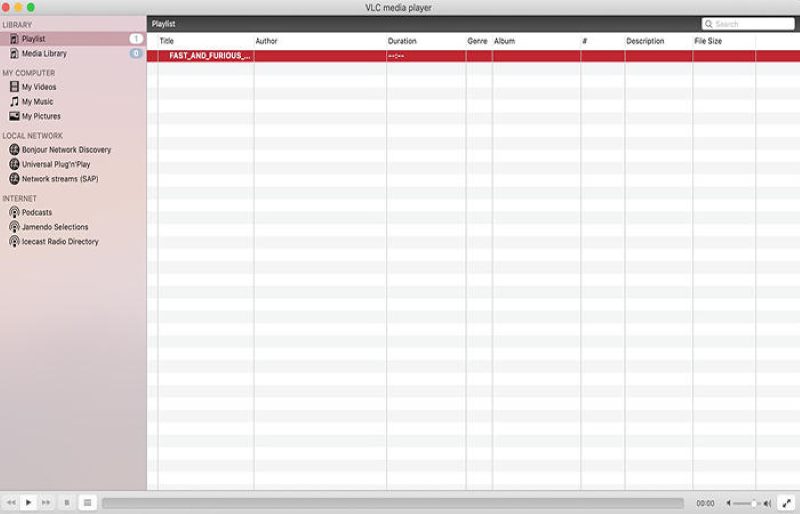
Developed by VideoLAN, VLC Media Player is an open-source and versatile player well-known for playing DVD, CD, and VCD discs on Mac & Windows. Better still, its 2.0 and later versions can perform as a free program to play Blu-ray discs on Mac. Whether your Blu-ray disc is protected or not, VLC can bypass the major copy protection and play them easily, making it ideal for playing commercial 4K movies and your own Blu-ray discs.
However, VLC requires the keys database and AACS dynamic library installed to play Blu-ray on MacBook Pro/Air. Moreover, you should be aware that it can not deal with all disc protection as its latest keys database was only updated in 2018. For a detailed guide, head to our article: How to Play Blu-ray with VLC on Mac & Windows.
 Pros
Pros
 Cons
Cons
Tips
Get your VLC to play encrypted Blu-ray discs? You'll need two files: keys database (fetch the file from FindVUK online database) and AACS dynamic library.
Keys database on Mac OS X: put it in ~/Library/Preferences/aacs/ (create it if it does not exist)
AACS dynamic library on Mac OS X: put that file in /usr/local/lib/ directory (create it, if it does not exist)
Best for playing 4K Blu-rays and all-region discs for free with menu control.
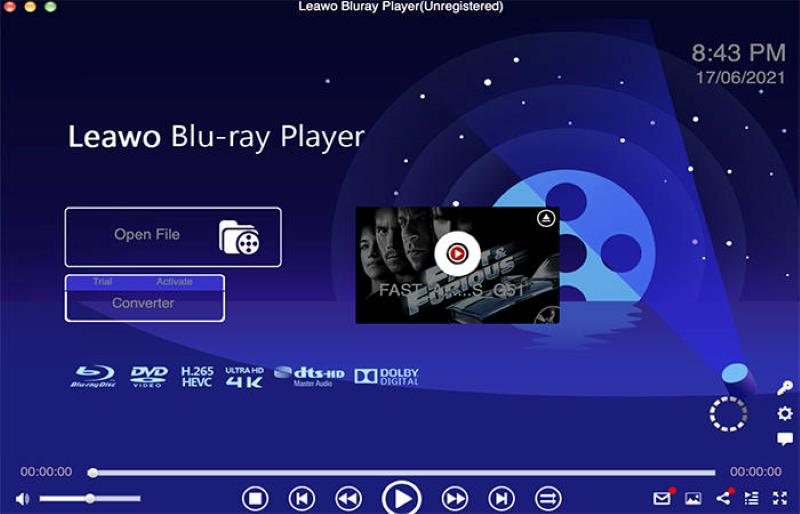
Leawo Blu-ray Player for Mac is the best Blu-ray player for Mac that can play 4K Blu-ray discs, folders, and ISO images. Even if your Blu-rays are purchased in other regions, Leawo, one of the best region-free Blu-ray players, can decrypt Blu-ray and decode almost all region codes, making it able to play Blu-ray discs on MacBook Pro/Air for you.:Even if your Blu-rays are purchased in other regions, Leawo, one of the best region-free Blu-ray players, can decrypt Blu-ray and decode almost all region codes, making it able to play Blu-ray discs on Mac for you.
However, such free Mac Blu-ray player service comes at the cost of unresponsive customer support. Some users complained that they would give them negative stars because they didn’t hear from the support team once. During our testing, there were several annoying problems. For instance, the Blu-ray ripper often crashes when playing a Blu-ray disc on old computers.
Pros
Cons
User Review from Reddit
I found a recommendation of Leawo and a review that stated that this could play EVERYTHING. I downloaded it and it just stutters the everliving holy grace out of my computer just by running, not even with a movie, it crashes the game I wanted to play and I wanted to test it and chucked in a season of breaking bad and it just started playing the bonus material with no way to watch the actual show.
Best for playing commercial HD Blu-ray collections
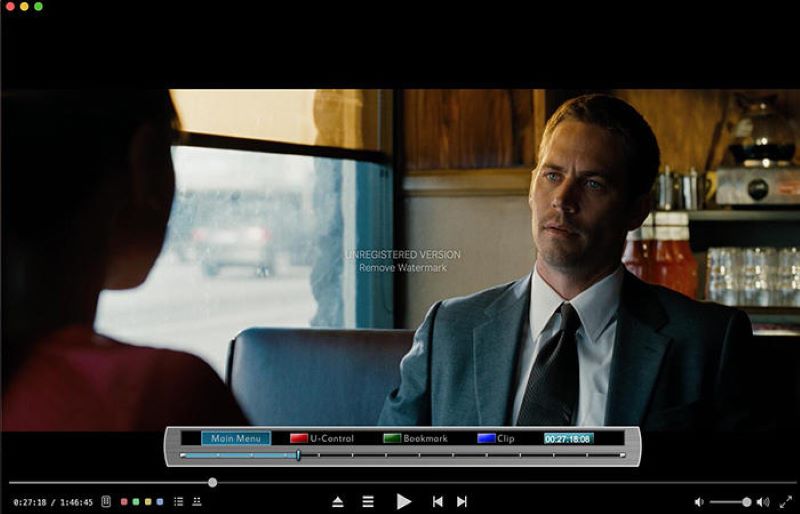
Macgo has two versions of Mac Blu-ray player software for Mac users. What we introduce today is the basic one – Macgo Blu-ray Player. It is a Mac Blu-ray player that can easily play commercial Blu-ray discs in high quality. As most commercial Blu-rays are encrypted with copy protection, Macgo can decrypt the common protection and play them for you. But when it comes to playback experience, Macgo Blu-ray Player may pale compared with other free tools such as VLC. It may get laggy, sometimes drop the frame, or get stuck.
Another factor that could affect your experience is its watermark. When you play your favorite Blu-ray movie discs, the Macgo would put a watermark in the center during the playback unless you upgrade to the pro version. What’s worse, Macgo doesn’t support many formats like MP4, 4K video, MKV, FLV, MOV, 3GPP and other formats.
Compared to the pricey Macgo Mac Blu-ray Player Pro, another affordable option – VideoByte Blu-ray Player – offers similar features and support higher image quality with a 30-day free trial.
Limitation
Testing Experience
I found that Macgo allows to set the region on a per-user account basis.Although it only supports 2012 or newer Macs (macOS 10.8 and higher), the movie disc worked well even on a 2010 Mac Mini due to its hardware acceleration. I have to say this player embeds a watermark over the video during the playback during the free trial, which may interrupt watching experience.
Best for playing media files in a wide range of formats
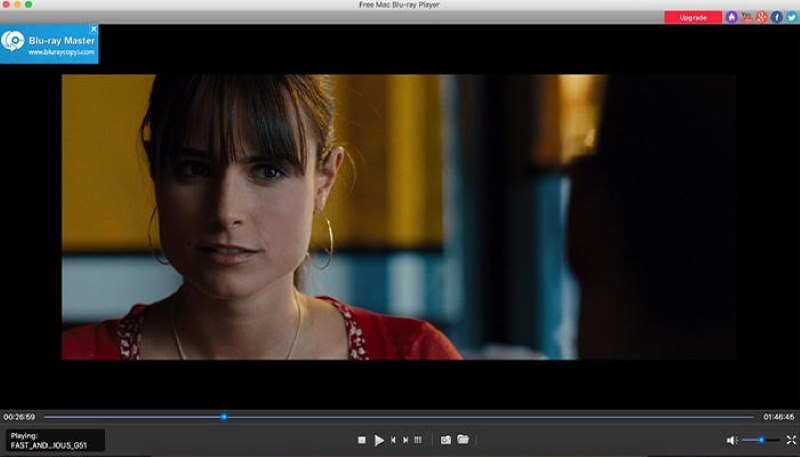
As its name suggests, Free Mac Blu-ray Player is completely free of charge for playing Blu-ray discs, Blu-ray folders, and ISO files on Mac. Featuring wide compatibility in formats like MP4, MOV, M4V, WMV, and so on, this Blu-ray player opens media files of popular formats. It also offers menu control, with which you can choose any chapter, audio tracks, and subtitles freely to have a wonderful Blu-ray-watching experience on MacBook Pro/Air.
Still, the Mac Blu-ray player doesn’t allow you to view your Blu-ray movie in full screen. And it imposes a watermark when playing your BD discs. If you want to create GIFs or take screenshots of your favorite scenes, you need to find extra editing tools to remove the watermark. Moreover, you won’t get 24/7 customer support in the free version when you run into any problems.
Pros
Cons
Best for playing Blu-rays in different foreign languages
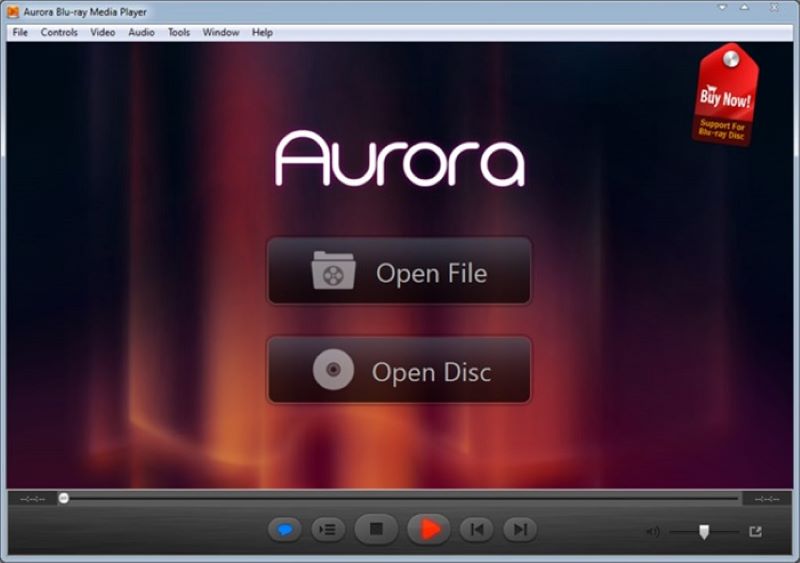
Another Blu-ray player software for Mac is Aurora Blu-ray Media Player. It is a media player ideal for opening a variety of video types, including DVD, ISO, VCD, and HD Blu-rays. If the Blu-ray you want to play is a foreign movie, Aurora has multiple language options and can play it with different languages of subtitles and audio tracks. If you have an outstanding home audio system, you can also get the best sound experience via output channels such as DTS HD 7.1.
As powerful as Aurora Blu-ray Media Player is, the software allows unlimited access to play Blu-rays on Mac but offers playback in its free trial version with a watermark. Meanwhile, it takes up relatively high CPU resources. So you may not run multiple tasks when watching Blu-ray movies. Besides, this Blu-ray player for MacBook Pro/Air contains several different settings that may require a steep learning curve to grasp.
 alt="Aurora Blu Ray Media Player">
Pros
Cons
Feedback
Aurora Blu-ray Media Player plays Blu-ray discs and both on Mac and Windows. In my test, it supports all media formats but limits to HD playback. It supports Blu-ray decryption perfectly and output image perfectly. However, I think Aurora is not a best choice because it works unstable. Sometimes Aurora just paused after I asked it to play the disc, I couldn't get it to play the disc at all.
Best for playing UHD Blu-rays in common formats
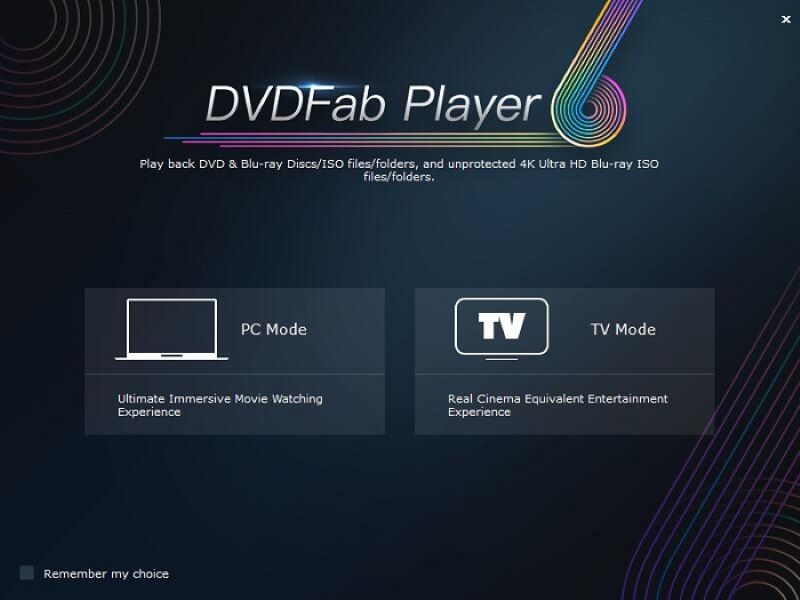
DVDFab Ultra HD Player is a 4K Blu-ray player for macOS and Windows. When playing Blu-ray discs with main movie titles and background audio, it also offers menu controls, enabling you to control the Blu-ray playback. To ensure a high-quality viewing, DVDFab Player supports HEVC, 4K UHD, and other digital media files such as AVI and MP4, making it perfect for playing 4K Blu-ray movies on MacBook Pro/Air. When playing movies of lossless quality, you can easily perceive the details even if you only have a mediocre monitor display.
However, DVDFab Player is not a free Blu-ray player. It only provides a 30-day free trial. When the trial ends, you’ll have to purchase a license. But the cost for its one-year plan is almost equal to 3 times of other products. Also, it applies transcoding technology to improve its performance, which might lead to quality loss when playing the disc. Moreover, many users have reviewed failure to play Blu-ray on MacBook Pro, so it is wise to use its free trial for testing before upgrading to a subscription.
 alt="Dvdfab Player-6 Ultra">
Tips
alt="Dvdfab Player-6 Ultra">
Tips
While both programs offer Blu-ray playback on Mac for similar prices, VideoByte Blu-ray Player outperforms DVDFab. It boasts slightly lower costs and flexible subscription options that cater to different budgets. Moreover, VideoByte delivers a noticeably smoother and more stable viewing experience, especially on older computers.
Pros
Cons
Best for playing unprotected Blu-ray discs with various editing features
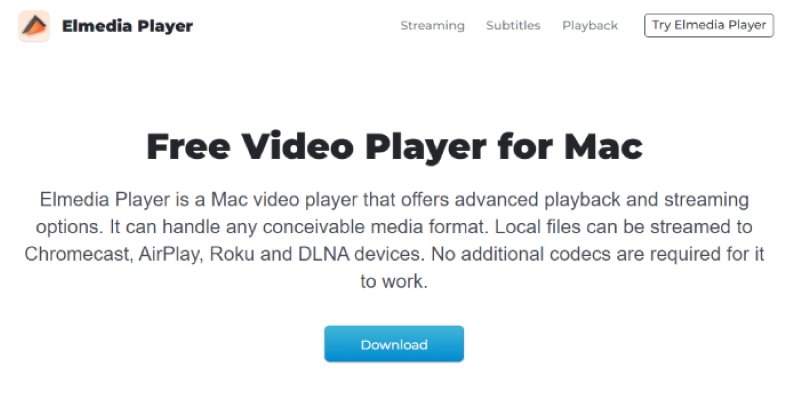
Elmedia Player is a free and powerful Blu-ray player that can play virtually all kinds of media files or physical discs. This Mac Blu-ray player comes with additional features including downloading external subtitles and can fix issues such as audio and subtitles out of sync.
It also offers basic playback settings such as pausing video, adjusting volume, and resizing the screen, enabling you to watch your preferred part. For tech-savvy users, the player also offers many customization settings to tweak. However, the only drawback is that the software may fail to work with protected Blu-ray discs on MacBook Pro/Air/iMac.
Pros
Cons
User Review
Elmedia Player absolutely crushes the basics and a lot more. It plays almost everything out of the box. But you have to pay for full features, if you just use its free version, sure, the paywall pounces the moment you want stuff like streaming or advanced tweaks. Very annoying if you just want smooth playback and suddenly pop up a “upgrade now” window.
Q1: How to bypass Blu-ray region codes?
A professional Blu-ray Player is usually region-free, and whatever region codes your Blu-ray discs are locked with, the Blu-ray player will handle them well. Most Blu-ray players we’ve mentioned in the post can meet your needs, so you can check them twice and select the one you like. By the way, we still recommend you try VideoByte Blu-ray Player which is a region-free and easy-to-use one.
Q2: Can you use a Blu-ray player on Mac?
No, you can’t play Blu-ray discs on MacBook Pro/Air directly. MacBooks do not come with a built-in Blu-ray drive required to read the discs. To play Blu-ray videos on your Mac, you need to acquire an external Blu-ray drive to read Blu-rays and Blu-ray playback software to play them.
Q3: Can I play Blu-ray discs or ISO image files on macOS?
A: QuickTime on Mac do not support 4K playback. You may require a specialized Blu-ray player with hardware acceleration to decode 4K videos smoothly at up to 60 FPS without frame drops or load. For ISO Image file, advanced players, like VideoByte Blu-ray Player, support ISO images and BDMV folders, instantly reading the disc structure and rendering the original Blu-ray menu, which are better than basic free players.
Q4: Will the free Mac Blu-ray player add a watermark to the videos?
A: While some free media players like VLC can play Blu-ray discs without watermarks, they usually lack native support for AACS/BD+ DRM protection and Blu-ray menu navigation. If you only need basic playback with no watermarks, VLC works well. However, if you want a seamless experience for commercial Blu-ray discs, a premium tool provides a far more stable, and hassle-free solution.
The above 8 best free Blu-ray players for Mac are the most useful playback utilities that we highly recommend. To evaluate if the Blu-ray player will satisfy your needs, you can also consider these factors:
However, there is no such thing as a free lunch. You may find that some free tools have limitations, such as free trials and limited formats. They may not be able to play all your Blu-ray movie collections. Therefore, if you want to play a commercial Blu-ray disc on a Mac and get a smoother playback experience, we recommend VideoByte Blu-ray Player, a professional and easy-to-use Blu-ray player for Mac. Try it out to enjoy Blu-ray movies on your Mac.
Hot Articles



 English
  Korean
  Dutch
Dutch  Chinese
  Italian
  Spanish