

Enjoy Cinematic Blu-ray Movie Playback
Many Blu-ray discs fail to play due to Blu-ray region locks. What can you do? The key is that you need a region-free Blu-ray player software to overcome this small hiccup. There are 6 top region-free Blu-ray players in the following list that make it easy for you to enjoy Blu-ray videos with no hassle. In our test, the first recommendation is VideoByte Blu-ray Player, and 5 other reliable options are included to help. Now, grasp them in order to have a successful Blu-ray Disc streaming on desktops!
Here is a quick comparison table of the top-rated software options:
| Software | Decryption Tech | Supported Files | 4K Playback | Audio Decoding | Blu-ray Menu | Pricing |
|---|---|---|---|---|---|---|
| VideoByte Blu-ray Player | Bypass any region codes (Region A/B/C) | Blu-ray & DVDs/ISO files/BDMV folders, 45+ popular video & audio formats | ✅️ | DTS and Dolby Digital | ✅️ | $29.95/Mon $44.94/Lifetime |
| Leawo Blu-ray Player | Bypass all regions and protections | Blu-ray/DVD disc, folder, ISO, and HD videos | ✅️ | DTS5.1 (v1.9.5 and later) | ✅️ | $44.95/Year $99.95/Lifetime |
| VLC Media Player | ❌️ need the key database | Files, Discs, Webcams, Devices, and Streams | Not right out of the box | ❌️ basic video/audio stream | Need complex settings | Free |
| PlayerFab Ultra HD Player | all countries or regions of origin. | Blu-ray, 4K UHD discs, ISO Files & Folders | high-resolution | Dolby and DTS | ✅️ | $59.99/Year $79.99/Lifetime |
| Aiseesoft Blu-ray Player | Bypass region restrictions | Blu-ray disc/folder | Blu-ray 1080p/720p HD video | DTS-HD Master Audio or Dolby TrueHD | ✅️ | $15.60/Mon $49.96/Lifetime |
| Macgo Blu-ray Player | 5 times for region resetting. | Supports Blu-ray Disc (BDMV) only | 1080p HD | DTS 5.1, Dolby TrueHD Audio, DTS-HD Master Audio | part of the Blu-ray menu | $29.95 |
 How We Tested
To provide an honest review, we tested these region-free Blu-ray players on Windows 11 with an external ASUS Blu-ray drive, streaming output to a 4K LG OLED TV. To pick the winners, we threw locked region-B/C discs at them to clock their automatic bypass speed, loaded massive 50GB Blu-ray iso files to see if they'd crash my CPU, and double-checked if they actually output real, lossless video without dropping a single frame.
Best for: Play 4K HDR commercial discs with zero-hassle bypass of region codes.
Supported OS: Windows 11/10/8.1/8/7/XP, Mac OS X 10.11 or higher(including macOS 27)
VideoByte Blu-ray Player is a region-free 4K Blu-ray player that can powerfully get rid of all Blu-ray region locks by its world’s leading region code decryption technology. With it, you simultaneously own a Blu-ray player software that bypasses any Blu-ray regional restrictions, such as Region Code A/B/C. It brings you 4K high resolution and the best sound quality with DTS and Dolby Digital for immersive playback of any region-protected discs, DVDs, CDs, VCDs, etc.
Plus, VideoByte Blu-ray Player offers an easy-to-use navigation menu that lets you take full control of your playback, including choosing subtitles, audio tracks, and more. With VideoByte Blu-ray Player, a multi-region Blu-ray player, you can enjoy the best possible Blu-ray playback experience, regardless of the region code of your disc.
Features of VideoByte Blu-ray Player
• Work as the best region-free 4K Blu-ray player.
• Bypass commercial protections including bypass AACS, BD+, Cinavia, APS, CSS, ARccOS, and CPRM.
• Have various encoding methods, including H.264 and H.265.
• Deal with not only Blu-ray discs but also Blu-ray folders/ISO/BDMV.
• Be also a multi-region DVD player for Windows users.
• Deliver a smooth and seamless playback experience with GPU acceleration.
How to Use VideoByte Blu-ray Player
Now, take a minute to download and install VideoByte Blu-ray Player, then follow the brief guide below to enjoy 4K Blu-ray streaming on desktop via this region-free Blu-ray player:
Step 1. Insert your region-protected disc into an internal drive on the computer or an external drive.
Step 2. Launch VideoByte Blu-ray Player and click Open Disc to bypass region codes and read your disc.

Step 3. Choose to Play Movie or choose to play another chapter with its easy-to-go control. For clearer guide on using VideoByte Blu-ray Player, also check this video tutorial to help:
Feedback
As a product user, Jack Ryan reported, he has been looking for both a Blu-ray player and a ripper for his MacBook Pro…the Blu-ray player functions better than my existing application, and the ripper is easy to use and of equally high quality. (from Trustpilot)
In my test, this region-free Blu-ray player software works on Windows 11 very fluently. I tried to use it to play a Blu-ray disc I bought from abroad. Honestly, VideoByte bypassed the restriction in seconds without annoying 'wrong region' error. The video was crystal clear and sounded with no audio lag.
Best for: Playing Blu-ray/DVD discs, and up to 1080P HD videos at home for personal entertainment.
Supported OS: Windows 7/8/8.1/10/11, macOS 10.10 ~ 26
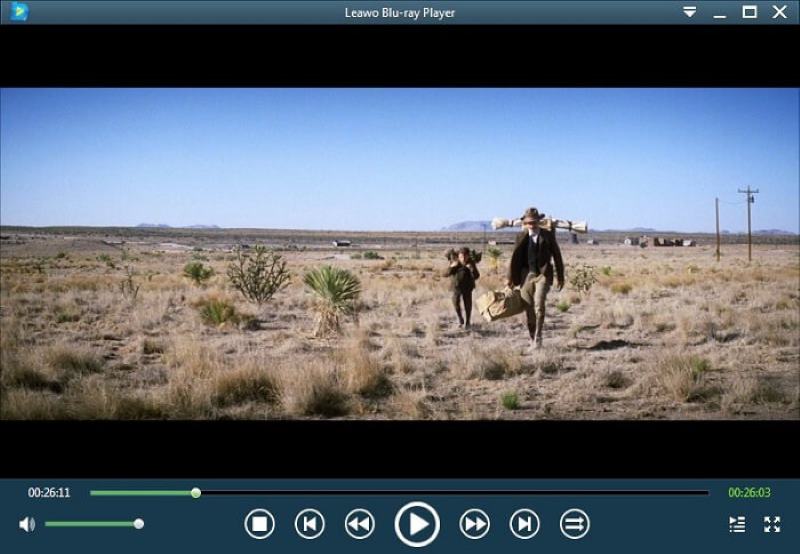
Leawo Blu-ray Player is another industry-leading region-free Blu-ray player that is able to bypass streaming limitations brought by Blu-ray region codes, and provides a high-quality video streaming experience on desktops without hassle. Despite UHD Blu-ray discs, this software is also compatible with other content streaming, like unlocking DVD region code to play DVD discs, and also other more resources such as physical digital media, container formats, network protocol clients, and common audio/audio files, making it one of the best all-in-one media players and also region-free DVD players on the market.
This handy multi-region Blu-ray player is developed with an intuitive user interface, a convenient navigation playback menu, and even virtual remote control to make your Blu-ray streaming to be much easier to handle. With Leawo Blu-ray Player, you are able to receive nice and smooth experience in streaming Blu-ray on desktops.
Features of Leawo Blu-ray Player
• Support playback of videos in up to full HD 1080p.
• Play DRM-free discs, ISO, and local files in popular audio and video formats.
• Deliver a great audio experience with Dolby, AAC, TrueHD, DTS-HD, and other advanced audio decoding technologies.
• Offer a user-friendly user interface with a detailed navigation menu.
• Enable virtual remote control for playing back Blu-ray/DVD discs.
Limitation:
I found a recommendation of Leawo and stated that this region-free Blu-ray player for PC could play everything…but there are many playback issues. I downloaded it, and it just stutters the ever-living holy grace out of my computer just by running, not even with a movie. It crashes the game I wanted to play, and I wanted to test it and chucked in a season of breaking bad, and it just started playing the bonus material with no way to watch the actual show.
Best for: Someone is looking for a free option to play Blu-ray discs…Most importantly, you need to know how to install some complex key databases. It’s hard for me.
Supported OS: Windows, Mac, and Linux
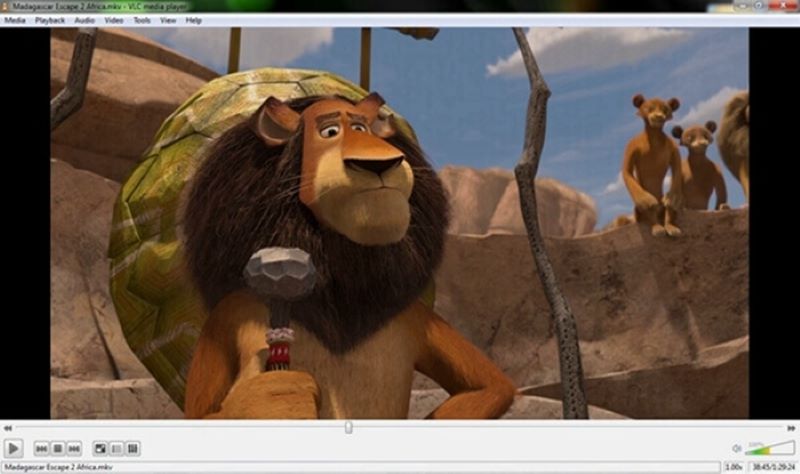
When it comes to the best free Blu-ray player, the VLC media player is always on the list. As an open-source cross-platform multimedia player, VLC also comes with flexible setting options such as audio equalizer, playback speed, and video/audio effects for its dear users to control the playback the way they want. As an open-source cross-platform multimedia player, it is able to provide convenient and costless Blu-ray streaming. However, if you want to play protected Blu-ray movies with VLC, you should have two extra files, an AACS dynamic library and a Keys Database (KEYDB.cfg), and tweak the configuration to bypass region codes on VLC. I think this is the biggest drawback for most common users.
A Reddit user said, “I'm trying to watch some movies on my off-screen while I'm playing. And I don't know where to find a player that actually works. I've tried VLC…but that can hardly play anything anymore, missing codecs for everything that can't be found anywhere.” Maybe you’d call it the best region-free Blu-ray player if you’re a tech-savvy man.
Tips
If you are looking for a region-free Blu-ray player that also performs to decrypt Blu-ray region codes and streams movies without failures, VideoByte Blu-ray Player lets you experience the great 4K Blu-ray playback quality.
Best for: Movie collectors want a beautiful Netflix-style poster wall for their local files.
Supported OS: Windows 11/10/8/7, Mac OS X 10.9 or higher
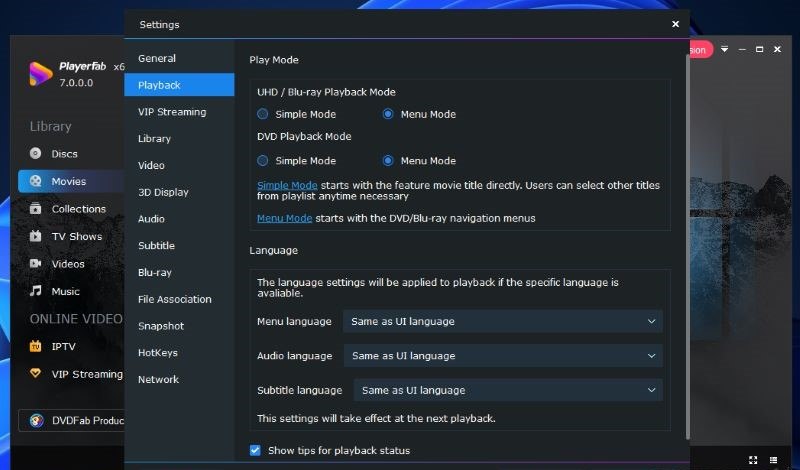
PlayerFab Ultra HD Player is one of the best region-free Blu-ray players that enables you to play all major formats, including 4K Blu-ray discs, ISO files, DVD folders, local files, and even 3D files. Since it can bypass any Blu-ray region codes, you can enjoy Blu-ray movies in any region without any restrictions. Also, it offers an intuitive navigation menu that gives you full control of your Blu-ray playback. Thanks to its marvelous HDR10 effects, you’ll immerse deeply in cinematic playback.
Features of PlayerFab Ultra HD Player
• Enjoy up to 4K high-res playback from commercial and homemade discs.
• Play a local DVD folder, ISO files, videos, and audio in popular formats.
• Offer four 3D modes for 3D viewing on the computer.
• Offer a TV mode to enhance playback on bigger displays.
• Deliver an optimized viewing experience with hardware decoding and HDR10 effects.
• Keep the original sound quality with various audio effects.
An Australian user posted a frustrating comment on VideoHelp about his region-free Blu-ray player software, “For someone in Australia, this software costs upwards of A$280 for the lifetime license. Why would you pay annually for any software? That's just silly. But it does nothing that free software can't already do, and it doesn't even work as described.” Okay, it does provide a very high pricing plan. For the same function, I would choose a cheaper region-free Blu-ray 4K player.
Best for: Play commercial Blu-ray discs from any region, as well as Blu-ray folders and ISO files.
Supported OS: Windows 11/10/8/7, Mac OS X 10.9 or higher
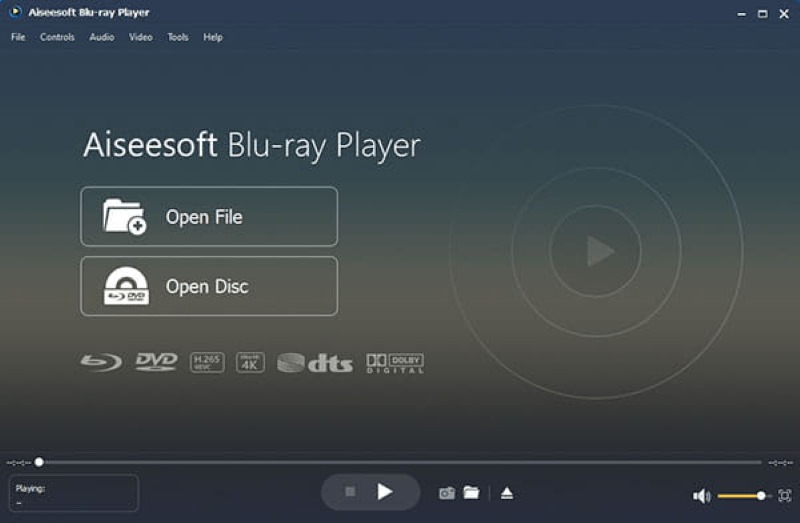
The powerful Aiseesoft Blu-ray Player has applied AI technology to quickly unlock the region coding and play Blu-ray/DVD disc/folder/ISO files with HD/SD quality on desktops. This multiple-region Blu-ray player has already supported the latest Windows 11 to let users enjoy the advanced region-free Blu-ray playback with ease.
To make file access and management more convenient, Aiseesoft Blu-ray Player also enables users to create playlists for preserving the media content manually to personal preferences. With other features such as accelerated loading speed, flexible settings, and a quick snapshot feature, Aiseesoft Blu-ray Player is an ideal pick for you to enjoy region-free Blu-ray playback on desktops with more advanced features.
Features of Aiseesoft Blu-ray Player
• Play Blu-ray movies in the disc, folder, and ISO file in 720p or 1080p.
• Play regular videos of up to 4K resolution and audio files in a range of formats.
• Ensure lossless sound playback with DTS-HD Master Audio or Dolby TrueHD.
• Enable Blu-ray region-free playback on protected discs.
• Use AI technology to automatically enhance the playback experience.
• Allow quick snapshots in the process of video playback.
• Create your own playlist to manage your content library.
User Review
An analyst engineer, Akash W., verified that Aiseesoft Blu-Ray plays Blu-ray 1080p/720p HD video losslessly. But for 4K Blu-ray, you know, not quite the same. And the interface is not the best user experience.
Best for: Mac users who want a native Apple-style interface to play Blu-ray discs without regional restrictions.
Supported OS: Mac OS X 10.8 and later.
Macgo Blu-ray Player is one of the best region-free Blu-ray player software for Mac that provides high-quality playback and flexible controls to ensure you a hassle-free Blu-ray streaming experience. It empowers great ability to decrypt Blu-ray protections, and transcode Blu-ray videos to stream for you at up to 1080p high quality. With Macgo Blu-ray Player, you can enjoy a fantastic movie-watching experience at home.
Likewise, Macgo Blu-ray Player also provides scenes, audio, and subtitles selections for users to control the movie playback flexibly. With the hardware acceleration option enabled, you can even enjoy a much smoother Blu-ray experience on Mac. If you are looking for the best Blu-ray player for Mac, Macgo Blu-ray Player should be the one you shall not miss.
Features
• Play protected content from all types of discs except for 4K UHD Blu-ray discs.
• Open video, audio, and image files in the local storage of many formats.
• Deliver high-resolution and natural playback with original sound quality.
• Improve frequent performance with hardware acceleration.
• Ensure a seamless Blu-ray playback experience with BluFast MX technology.
• Provide all-featured control to choose scenes, multilingual subtitles, and audio tracks.
Author Note:
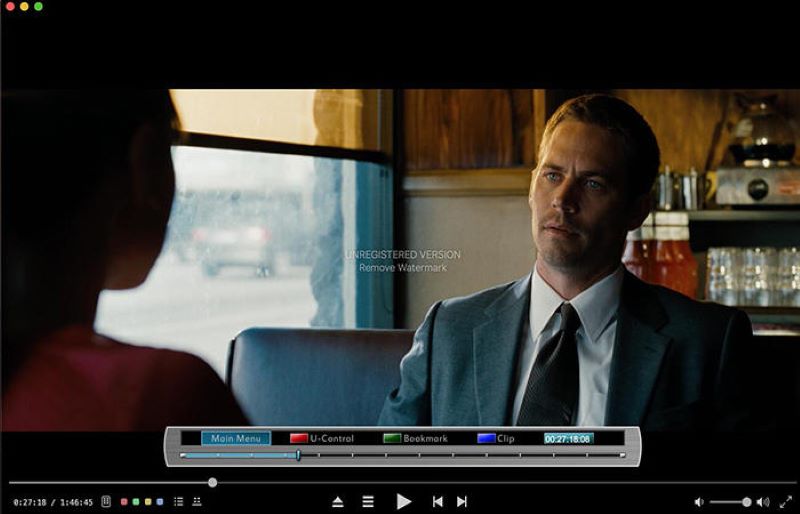
Macgo Mac Blu-ray Player is known as the first Blu-ray player software for Mac OS X. I tested it only on my iMac. It loaded and recognized the disc very fast. The movie looked great, but have watermarks. If you would like to try it, buy it for about $30.
As Blu-ray discs require compatible Blu-ray hard drive to read their contents, you will also need to prepare a Blu-ray player hardware in order to stream discs on desktops successfully. Hence, here also collect some external region-free Blu-ray player hardware that can deliver you a theatre-like Blu-ray streaming experience at home.
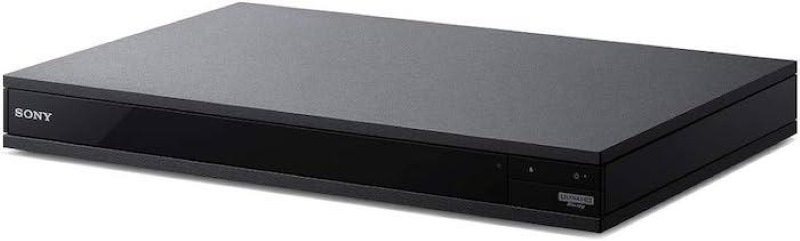
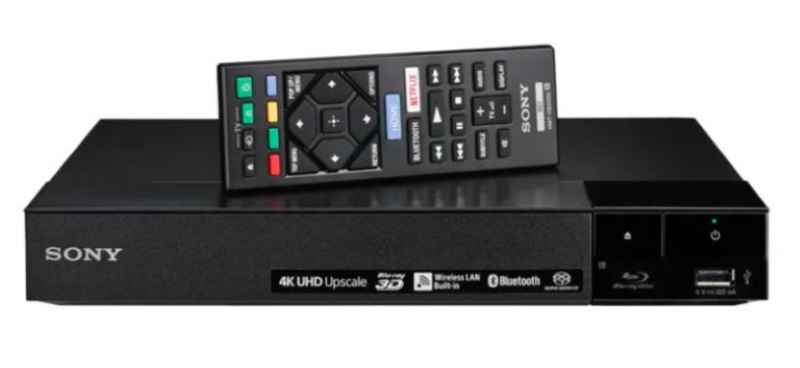
Pricing: US$329
Sony UBP-X800M2 can support 4K UHD Blu-ray streaming, bringing you a theatre-like streaming experience at home without hanging out to cinemas. It supports streaming Blu-ray Discs from all regions, ensuring you never fail to play disc. Also, Sony UBP-X800M2 is equipped with a stable built-in Wi-Fi feature, letting you directly stream videos from on-demand platforms like Amazon, Netflix, and so on. This multi-functional 4K region-free Blu-ray player is a popular choice that many users will consider.
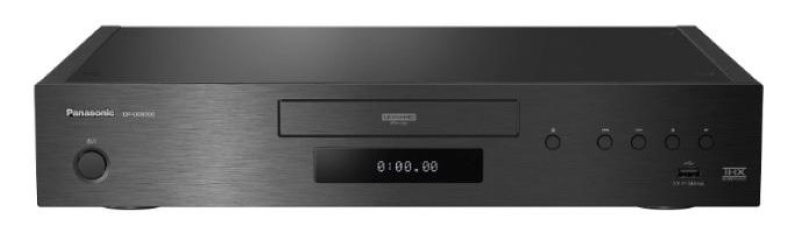
Pricing: US$1899
This is a high-end 4K Blu-ray player from Panasonic. It not only is able to make Blu-ray player region-free, but also supports Dolby Vision and HDR10+ HDR formats, as well as Dolby Atmos and DTS:X audio formats. It also has a built-in Wi-Fi adapter for streaming media from online sources. The only reason that might dissuade you is its high subscription price. If you have a sufficient budget, have a try.
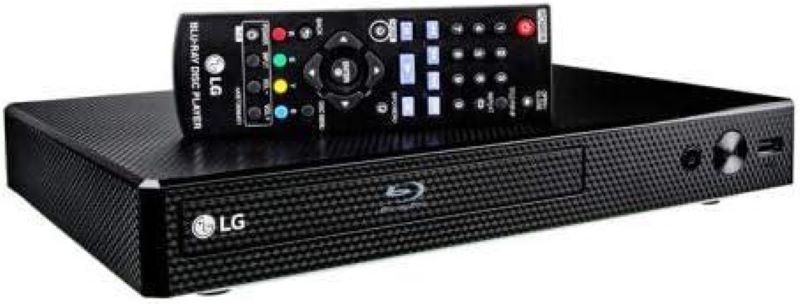
Pricing: US$149.99
This Blu-ray disc player is region-free and provides excellent performance and features for its price. It supports popular video carriers such as Blu-ray discs, DVDs, and CDs. Equipped with 4K upscaling, it can upscale 1080p videos to 4K resolution for playback on a 4K TV. However, it is worth noting that the player does not support 4K Ultra HD Blu-ray discs. If you are in need of a Blu-ray player that supports a 4K Ultra HD Blu-ray disc, you will need to look at a different model.
Pricing: US$97.98 (4K version at US$227.99)
This budget-friendly Blu-ray player is region-free, letting you play Blu-ray content without region restrictions. It not only can play Blu-ray discs, DVDs, and CDs, but also features Wi-Fi and Ethernet connectivity to let you stream content from online services, such as Netflix, YouTube, and Hulu Plus. However, LG BP-350 original version doesn’t support 4K Ultra HD Blu-ray discs or HDR. To play 4K Blu-ray, you need to use its upgraded Smart 4K version, but it will cost a bit more expensive than the standard one.
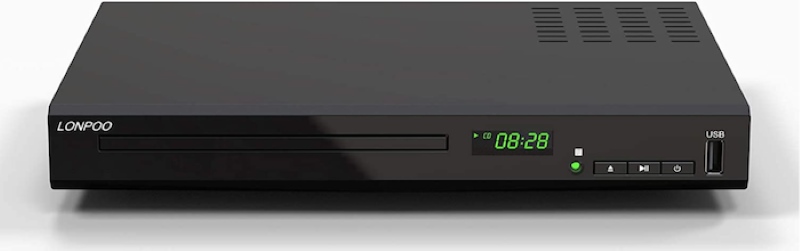
Pricing: US$128.90
It is a budget-friendly region-free Blu-ray player from LONPOO that can play Blu-ray content anywhere. Compared with the previous recommendations, its functions and features will be relatively simple. It only offers 1080p video resolution. Also, you can find no built-in Wi-Fi adapter for streaming media from online sources. However, it does support Dolby Atmos and DTS:X audio formats, offering an excellent listening experience.
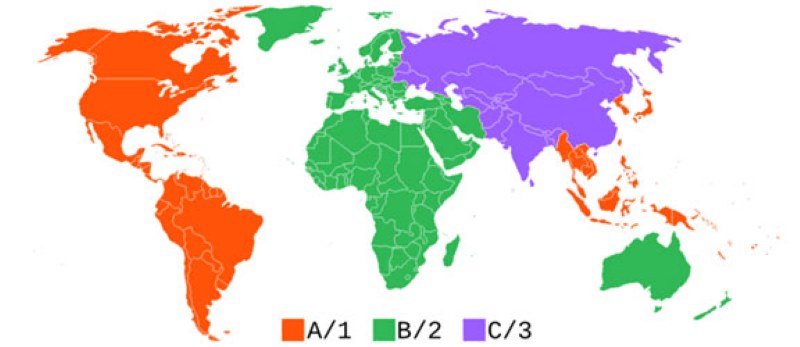
Before going any further, do you know what exactly the Blu-ray region code is? A Blu-ray region code is a protection that restricts Blu-ray content playback to certain regions. There are 3 types of Blu-ray region codes developed for the market to use: A, B, and C, which represents the availability of Blu-ray Discs in different regions:
Region A: North America, South America, U.S. Territories, Japan, South Korea, Taiwan, and other areas of Southeast Asia.
Region B: Europe, Africa, Middle East, Australia, and New Zealand.
Region C: Central and South Asia, Mongolia, Russia.
Also, you can find region-free Blu-ray discs that are labeled “Region ABC”/”Region-0″/”Region-free”, indicating that they can be played in any region.
However, you might be unaware of buying a region-protected Blu-ray disc when going abroad or shopping online. Then, you would be in trouble with region protection because you will fail to play purchased Blu-ray Discs when you are not staying in regions where allow to play them. In this case, you may want to check out the following region-free Blu-ray player software and get this trouble solved.
To learn more information about Blu-ray region codes, you can also read this article:
How Do I Bypass Blu-ray Region Codes Forever?
There are a few ways to bypass Blu-ray region codes. Apart from using a region-free Blu-ray, another way to bypass Blu-ray region codes is to use a Blu-ray ripper to digitalize the Blu-ray disc to a region-free format, such as MP4 or MKV. Once the Blu-ray disc has been ripped, the Blu-ray region codes will be remove forever and you can play it on any device that supports the region-free format. Here, we take the best Blu-ray ripper, VideoByte BD-DVD Ripper as an example to guide you how.
VideoByte BD-DVD Ripper is a leading ripper on the market that can not only remove region codes but also strip off DRM protections on Blu-ray and DVD discs. It enables you to rip protected Blu-ray discs to over 300 digital formats with lossless quality like MP4, MKV, MOV, AVI, etc. Moreover, it applies multiple hardware acceleration technologies and advanced compression to ensure an ultra-fast and lossy ripping process. It cannot be easier to use with only 3 steps to get your disc ripped.
STEP 1. Plug your region-protected Blu-ray disc into an optical drive connected to the computer.
STEP 2. Launch VideoByte BD-DVD Ripper and click Load Blu-ray >Load Blu-ray Disc.
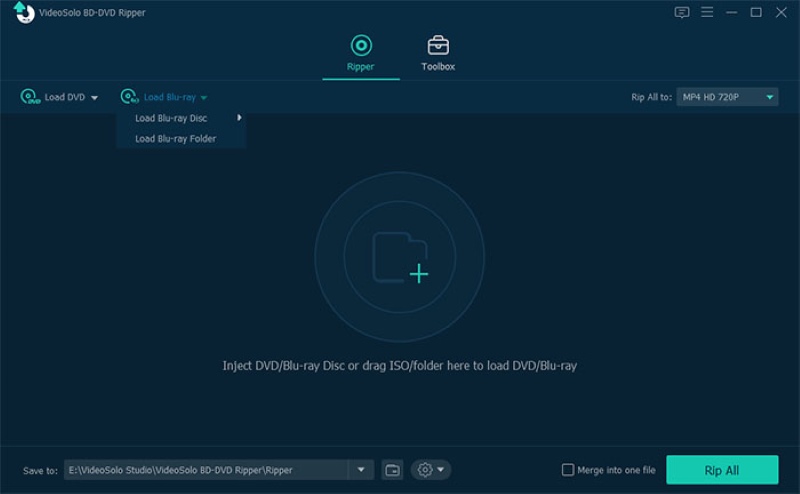
STEP 3. Click Rip All to and choose your desire output format to rip Blu-ray. For quality, you are able to select Lossless > Same as source.

STEP 4. Finally, simply hit the Rip All button and VideoByte BD-DVD Ripper will immediately rip Blu-ray to selected digital format as well as resolution for you.

What should I look for when choosing a region-free Blu-ray player?
Many people may find it hard to choose from a bunch of options. To select the best region-free Blu-ray player, please look for these essential features:
What is a region-free Blu-ray player?
A region-free Blu-ray player is a Blu-ray player that can play Blu-ray discs from any region, regardless of the region codes that are encoded on the disc. These region codes limit the playback of Blu-ray discs to specific regions, but a region-free player can bypass these restrictions, allowing you to enjoy Blu-ray discs from any region.
Are there any region-free 4K Blu-ray players?
Yes, there are many region-free 4K Blu-ray players on the market. For example, VideoByte Blu-ray Player. It supports playing 4K Ultra HD Blu-ray discs from any region, as well as other Blu-ray formats, DVDs, and CDs. It also provides various other functions, such as GPU acceleration, built-in DTS, Dolby, Ultra-HD technology, etc. What’s more, its subscription price is very affordable. You can also enjoy a free trial period before subscribing.
There are 3 ways to make it possible to bypass restrictions of region codes and enjoy Blu-ray region-free playback, including all-region Blu-ray player software, multi-region Blu-ray player hardware, and a Blu-ray ripper. In comparison to the price, software outperforms hardware without any doubt. Also, the software would save a lot of effort if you have a pile of Blu-ray discs.
So, 6 recommended region-free Blu-ray player software are introduced above, and which one stands out as your best region-free Blu-ray player? The top 1 VideoByte Blu-ray Player is my optimal choice after testing, due to its edge-cutting decryption technology and extraordinary playback. Don’t miss it and you can get the reason of my recommendation.
Hot Articles



 English
  Korean
  Dutch
Dutch  Chinese
  Italian
  Spanish