





Enjoy Cinematic Blu-ray Movie Playback
Forward this article:



Microsoft DVD Player is a free DVD watching software on Windows, which was once widely popular. However, the DVD playback feature was removed starting from Windows XP and integrated into Windows Media Player and Windows Media Center. In Windows 8, native DVD playback in Media Player was unavailable. And Windows 10 no longer provides the Media Center service.
As a Windows user, do you also want to replay your cherished DVD collections, such as classic movies and professional courses? Finding a high-quality DVD player software compatible with Windows is surely one of your core needs.
To obtain unbiased and repeatable results, we test each DVD Player software in controlled, detailed laboratory and actual real-world playback scenarios. We test their performance using commercial DVDs, Blu-ray discs, and ISO images, with an emphasis on video quality and audio sync, along with subtitle rendering. We also record CPU/GPU utilization, notice support (or not) for hardware acceleration, and disc menus.
When it comes to the best DVD player software on Windows, VideoByte Blu-ray Player is on the list with high-quality sound and video playback. It supports 1080p HD quality in default mode, and can achieve 4K Ultra HD output for regular videos. With built-in audio decoding systems like DTS and Dolby Digital, you can enjoy the cinematic experience of Blu-ray movies.
For users of Windows, you have unlimited access to the DVD discs and files. The region-free DVD player is designed for mainstream common videos. Whether encrypted educational CD-ROMs, protected movie discs, or homemade DVDs, you can easily play them on your PC.
In addition to Blu-ray disc/folder/ISO/BDMV formats, you can also play MP4, MKV, AVI, as well as H.264 and H.265 encoded files, eliminating the need for additional format conversion.
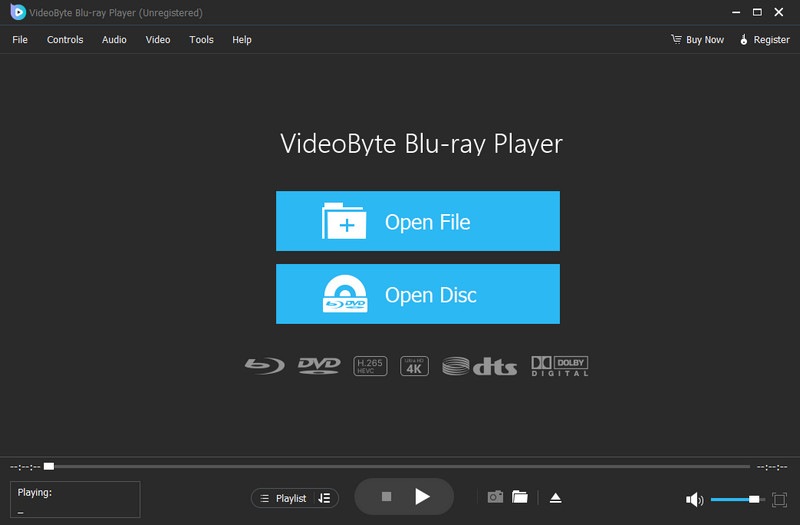
How to play a Blu-ray DVD on pc? The functional interface is clean but not simple, easy to use:
Step 1. Install and turn on the software on your computer.
Step 2. After inserting a disc into the external player drive, click Open Disc and choose a DVD file in your folder.
Step 3. You can enjoy the video when it displays on the screen automatically.
You can change video parameters like aspect ratio, bitrate, frame rate, etc., to adapt playback effects of different devices. When you want to share a certain frame, just click the camera icon to save the original picture. Most exciting, it supports manual creation of custom playlists for searching and re-watching offline, automatically recording playback history, and keeping where you watched.
 Pros
Pros
 Cons
Cons
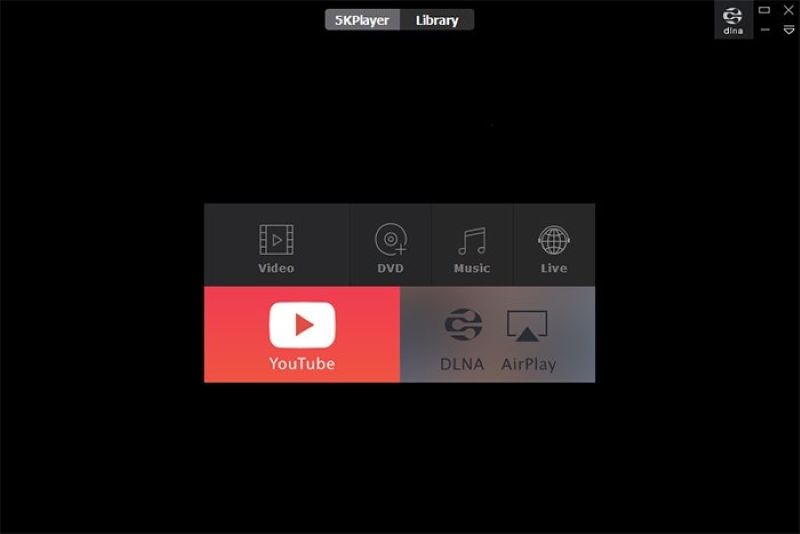
5K Player is well-known for its one-stop service of media features. Not only a free DVD player for Windows and Mac, but also a tool for video conversion and downloading. It’s compatible with over 60 audio and video formats, supporting playing DVDs, 4K, 8K, HDR, 360 VR videos, and IPTV with Dolby sound quality. Relying on AirPlay and DLNA, it enables wireless streaming and screen casting between various devices. With lower consumption of CPU and GPU, you can have an immersive visual enjoyment without freezes and glitches.
Pros
Cons
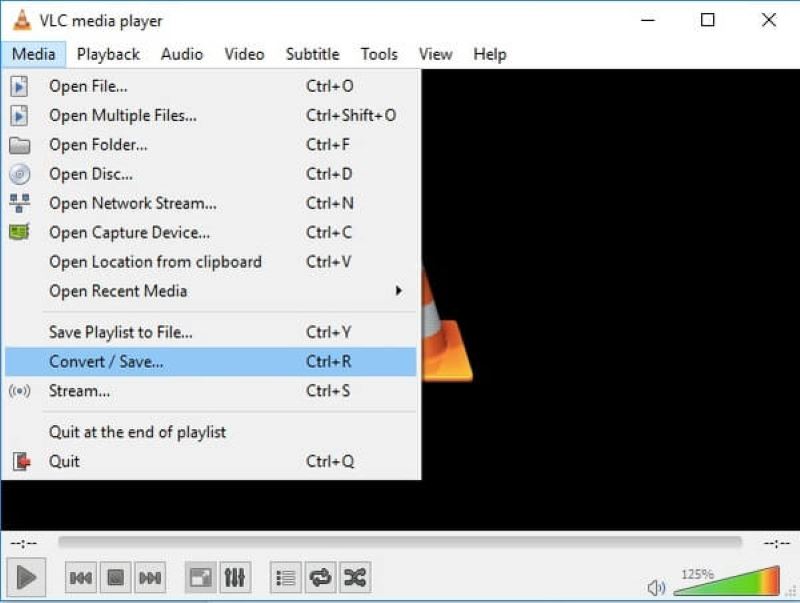
VLC Media Player is an open-source and free DVD player app that is available for desktop and mobile platforms. With good compatibility, it can play almost all video content, including DVD, CD, VCD, SVCDs, digital file formats like MP4, and even webcam footage without extra plugins. Specifically, you can adjust the video by distortion, rotation, mirroring, and other operations. It offers a built-in equalizer and audio filters, ensuring you can personalize sound quality for different listening needs.
Note that the installation packages of the app come with a built-in tool called libdvdcss, which is designed for playing copyrighted DVDs. However, this feature of cracking encryption is illegal in some countries and regions.
Pros
Cons
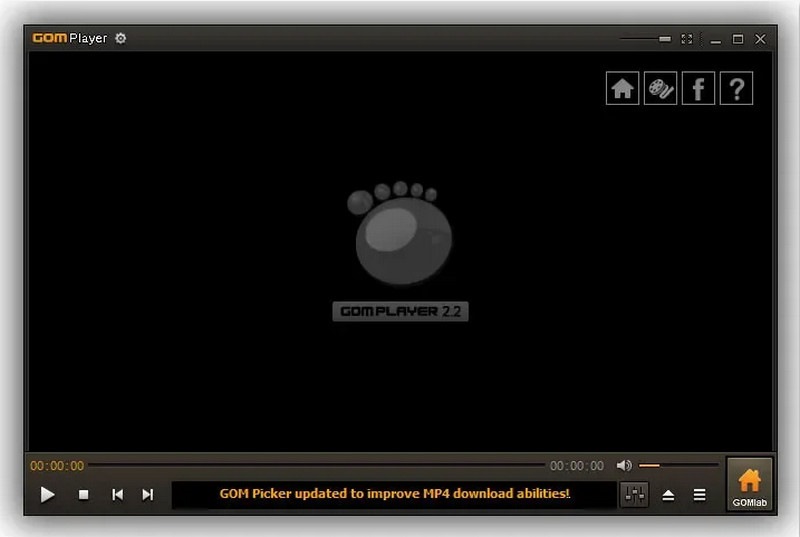
If you don’t want to watch a movie via a DVD player software with muddy subtitles, GOM Player is the best choice. It supports UHD and 4K resolution video playback. The embedded subtitle library has a large number of subtitle formats. The player will automatically search, match, and sync the correct subtitles. This DVD player software for Windows enables you to enjoy a 360-degree VR effect (Windows XP limited). It can also play damaged files and niche formats by automatically downloading missing decoders.
Pros
Cons
| Product | Blu-ray Supported | 4K/UHD Supported | OS | User-friendly | Screenshotting | GPU acceleration | Safe and no Ad |
|---|---|---|---|---|---|---|---|
| VideoByte Blu-ray Player | ✅️ | ✅️ | Windows 11/10/8/7/Vista/XP (SP2 or later) & MacOS X 10.9 or above (including macOS 26) | ✅️ | ✅️ | ✅️ | ✅️ |
| 5K Player | ❌️ | ✅️ | Windows 10/8/7/Vista/XP and macOS/Mac OS X | ✅️ | ✅️ | ✅️ | ❌️ |
| VLC Media Player | ❌️ | ❌️ | Windows XP SP3 to the last version of Windows 11, Mac OS X 10.7.5 or above, and Linux | ❌️ | ❌️ | ❌️ | ✅️ |
| GOM Player | ✅️ | ❌️ | Windows 10 or later and Mac OS X 10.5 or later | ✅️ | ❌️ | ❌️ | ❌️ |
Overall speaking, we can draw a conclusion that VideoByte Blu-ray Player wins a competitive edge from the table list. If you seek for ultimate audio-visual experience on Windows, the first two DVD Player Software are worth having a try. But 5K Player is particularly suitable for common users seeking a free, one-stop solution for daily media experiences.
• Compatibility: Verify the DVD Player software supports your device's operating system. The software with low CPU/GPU usage can prevent playback stuttering to the greatest extent.
• Video/Audio Quality: Make sure the app supports high-quality formats like 4K. HDR enhancement features, audio-visual optimization technology, and surround sound support, such as Dolby or DTS, will enhance audio quality.
• Subtitles: A player with extensive built-in subtitle libraries can offer automatic online subtitle searching and sync. The feature to adjust the size and position of subtitles is essential for a better visual experience.
• Ease of Use: Choose a user-friendly app with a clean interface, intuitive menus, and one-click playback to maximize efficiency.
• Stability: Opt for ad-free software without bundled programs to avoid crashes, freezes, or lag.
Q1: How to play a DVD on Windows?
A: You can follow the steps to play DVDs on Windows:
Step 1. Insert a disc into the external drive.
Step 2. Open the DVD player software and select a Disc file.
Step 3. Then the app will automatically play the video.
You can also refer to How to Play DVD on Windows 10/11 [2026].
Q2: Can I play a Blu-ray on a DVD player?
A: No. Blu-ray will only play on Blu-ray players. But you can choose a DVD player software that enables you to watch Blu-rays, like VideoByte Blu-ray Player.
Q3: Why won’t my DVD player software work on Windows 10?
A: If your DVD player software isn't working, you can check whether the disc itself is damaged or has smudges. Maybe it will be caused by region codes, unfit video formats and etc.
There are many options and tips for you to obtain high-quality DVD playback. As an all-in-one and free DVD player software on Windows, VideoByte Blu-ray Player stands out with proper features and better visual effects. It delivers a smooth and enjoyable viewing experience for every user. Try it and enjoy a worry-free DVD playback!
Hot Articles
by in 11 October, 2025
by in 8 September, 2025
by in 30 July, 2025

 English
  Korean
  Dutch
Dutch  Chinese
  Italian
  Spanish