





Enjoy Cinematic Blu-ray Movie Playback
Can you watch a 3D Blu-ray movie on PC/Mac? Obsoletely. You may have a 3D Blu-ray player software that renders 3D depth and effects from Blu-ray discs with specific decoding technology. We run the test of several 3D Blu-ray players available on the market. After testing, VideoByte Blu-ray Player stands out for its flawless 3D decoding and high-quality image effects. Let’s walk through the 4 best 3D Blu-ray players below and get your best pick to enjoy smooth and immersive 3D playback.
 How We Tested
To deliver an objective review, we tested 3D Blu-ray players with unified devices and setups:
Windows Intel Core i7 & macOS environment with an LG WH16NS60 Blu-ray drive (via an external USB setup). We use some commercial 3D Blu-ray discs to test each player, rated on playback success rate, 3D effect quality, setup simplicity, and value for money.
Best For: Fluently play your commercial 4K Blu-rays with high-quality
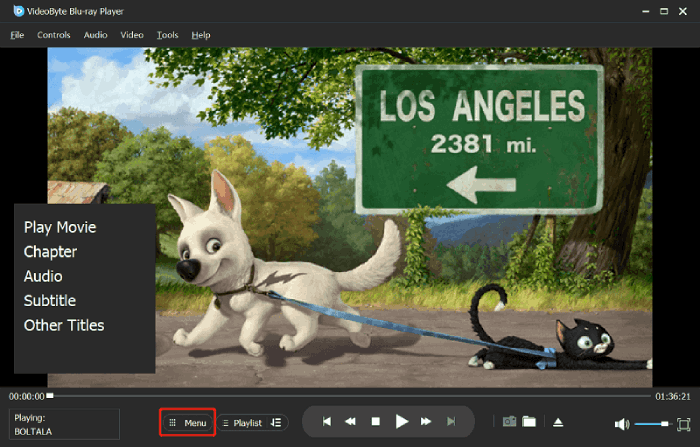
One of the reasons why VideoByte Blu-ray Player is number one, is way better all around during our test. This player provides perfect supports to Blu-ray discs/ISO files/BDMV folders playback. It removes encryptions of any region codes (A, B, C) and copy protections, making you have total access to Blu-ray content. Once you wear the glasses, the screen will be created a natural illusion of depth with 3D MVC encoding and HDR10. For high-definition viewing experience, you can obtain 4K UHD image effects with cinematic audio quality. More highlights you can get with it:
 Pros
Pros
 Cons
Cons
Hands-On Verdict
☑️3D Playback Quality: ⭐⭐⭐⭐4.7/5
☑️Decoding Success Rate: 100% (Smoothly bypassed standard Blu-ray region restrictions)
☑️Loading Time: ~4 seconds (Ultra-fast disc recognition)
☑️User Satisfaction Score: ⭐⭐⭐⭐4.8/5
Bryan Simmonds, a home media technology specialist and former technical support engineer, commented on Feb 28, 2026:
"The best part here is that the software is region-free. It means that no matter the Blu-ray region code, you can play it using the software. Moreover, the process of playing Blu-rays is simple. You can watch your favorite content in just a few seconds after a few clicks."
To get the full idea of how to play Blu-ray movies on PC/Mac using VideoByte Blu-ray player, let’s take a look at this detailed video tutorial.
Best for: Free to play most Blu-ray discs in 3D format while requiring some extra setup.
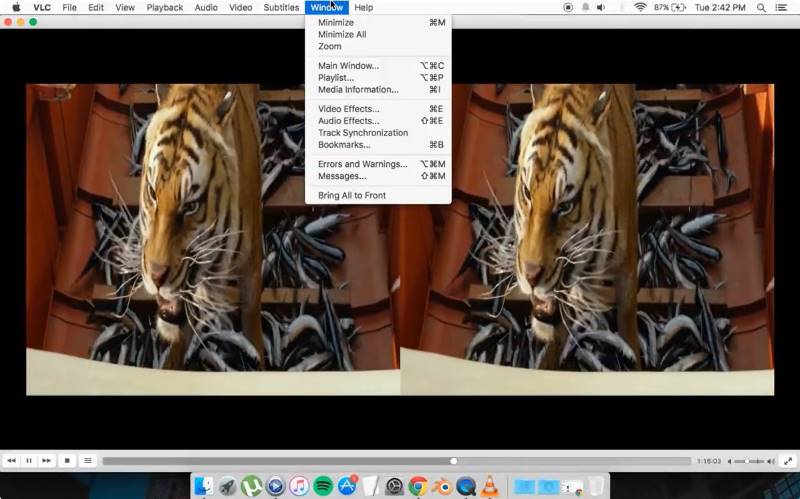
VLC media player , an open-source media player, is able to play 3D Blu-ray movies on Blu-ray discs. The Blu-ray 3D player enables hardware decoding to ensure fast and smooth video playback. What’s more, it allows you to apply custom effects and filters to adjust your playback experience on your own. You can either add a custom subtitle or do a track synchronization if necessary.
However, it doesn’t support any DRM-protected content by default. To play protected Blu-ray discs using VLC, you have to download the keys database and AACS dynamic library to make it possible. Or you may consider ripping 3D Blu-ray discs to your computer with no DRM protection and then using VLC to play 3D Blu-ray movies on PC.
Pros
Cons
Step 1. Launch VLC media player. Then, click on "Tools" > "Effects and Filters" from the top panel.
Step 2. In the pop-up window, switch to the "Video Effects" tab. You need to click on the pointing-right icon to find the "Advanced" tab. Then, check the "Anaglyph 3D" box.
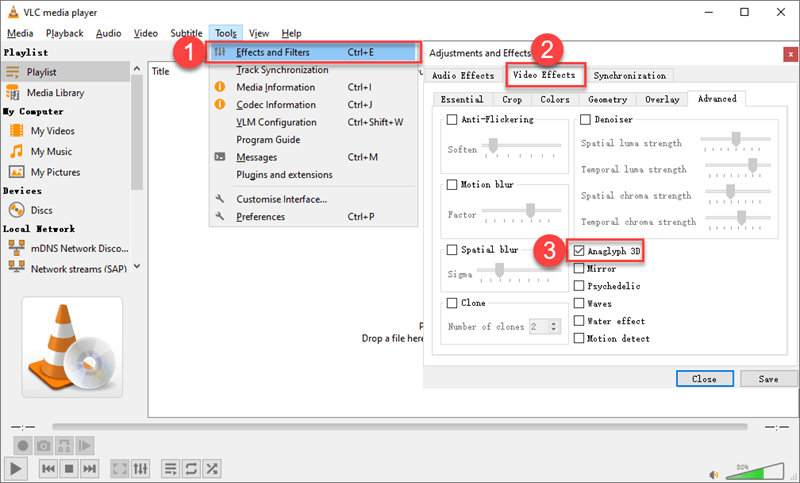
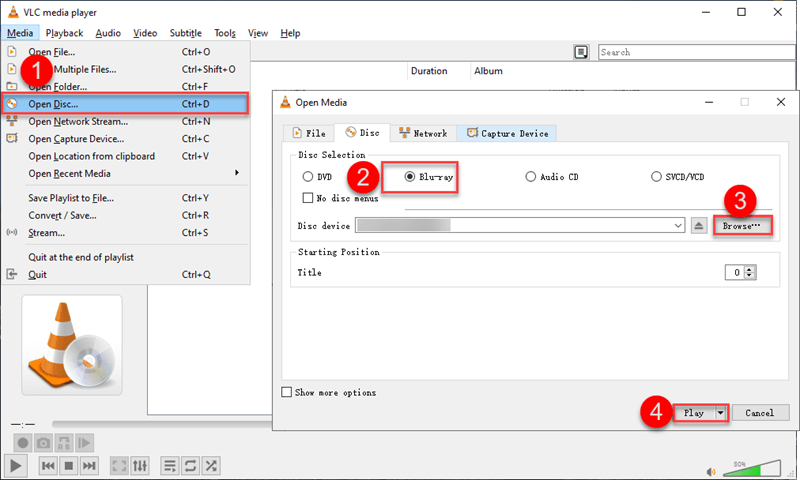
Step 3. Now, add the 3D movie to this program. Or, insert your 3D Blu-ray disc into the 3D Blu-ray drive connected to the computer. Then, click "Media" > "Open Disc" > select "Blu-ray". Then, load your disc and click "Play". While playing a 3D side-by-side Blu-ray movie with VLC, you can put on your red-and-blue 3D glasses to enjoy your 3D movie.
Author Note
When it comes to a video player, most people will recommend VLC because it is free. But it does not support Blu-ray playback by default, which is the thing I hate most. I had extra operations which can be a complicated process and is not always successful. By comparison, VideoByte Blu-ray Player makes it possible to play 3D Blu-ray movies encrypted by region codes.
Best for: Users who want to enjoy home-theater experience on Windows PC.
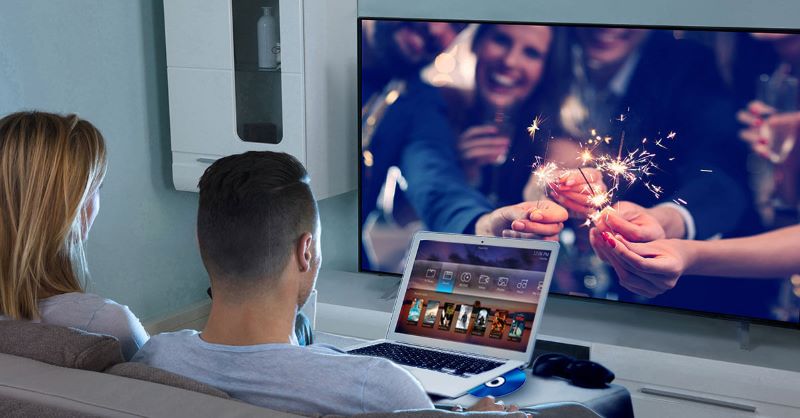
PowerDVD 19 is the best Blu-ray player that enjoys worldwide popularity. It lets you play 3D Blu-ray videos of up to UHD 8K quality and lossless audio quality thanks to its immersive 360˚ spatial audio technology. Also, it can automatically enhance the video quality to give you even better playback and upgrade SDR content to HDR quality with its TrueThreater mode. You can cast videos on your TV and have optimized playback for a big screen with its TV mode. If you are looking for a 4K Blu-ray player to play 3D Blu-ray, then PowerDVD 19 is a good choice.
Perhaps some people may question why the new version is not recommended…Well, while CyberLink has continued to improve and upgrade the product, you can only watch 3D Blu-ray discs with PowerDVD 19 or earlier. The official has completely dropped technical support for 3D media playback in all newer versions including PowerDVD 20/22/23/24.
Pros
Cons
User Feedback from Reddit
"I currently use my PC for gaming and for Home Theater. I have a GTX 1060. I've been thinking about upgrading my GPU. I currently watch 3D Blu-rays on my projector with PowerDVD using 3D fix manager since Nvidia removed official support from their drivers."
"I have an old laptop, i7 4700mq, and GT 740m. I’m using PowerDVD 19. The playback runs in only Intel GPU whenever tried to run with gt740m. The 3D playback is not supported. I think this 3D playback supports in CPU, not the GPU."
Best for: Users who want comprehensive support for genuine 3D Blu-ray discs, ISO files, and SBS, or top-and-bottom 3D videos.
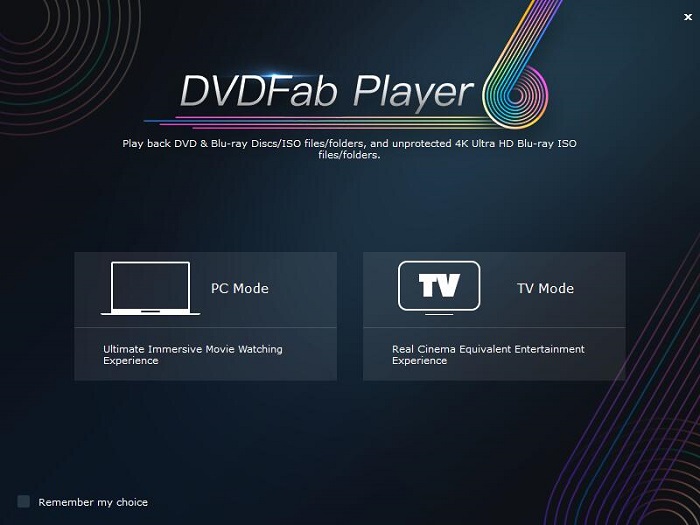
DVDFab Player is a top-rated 3D Blu-ray DVD player on PC and Mac. It provides four 3D output modes: Anaglyph Red/Cyan, 3D-Ready HDTV (Checkerboard), Micro-polarizer LCD 3D (Row-interleaved), and HDMI 1.4-enabled 3D TV, greatly saving extra device costs and improving compatibility for all your display setups. Better yet, it comes with exclusive AMD, Intel, and NVIDIA technology to give you high-quality playback as smoothly as silk. However, it doesn’t support DRM-protected content as well. You may only play unprotected discs with it.
Pros
Cons
Hands-On Verdict
☑️3D Playback Quality: 9.0/10
☑️Decoding Success Rate: 95% (Handled most encrypted 3D discs well)
☑️Loading Time: ~9 seconds (Slightly sluggish during initial disc parsing)
☑️User Satisfaction Score: 4.0/5
My Personal Experience:
DVDFab Player performs well when it comes to visual rendering, delivering excellent 3D depth and vibrant colors with full navigation menu support. However, in my test, the operation is a bit heavy. It consistently took around 9 seconds to load a commercial 3D Blu-ray disc - noticeably slower than VideoByte. Furthermore, the software often pops up upgrade prompts during playback.
| Software | VideoByte Blu-ray Player | VLC Media Player | PowerDVD 19 | DVDFab Player |
|---|---|---|---|---|
| 3D Support | ✅️ | ✅️ | ✅️ | ✅️ |
| Resolution | Up to 4K UHD | It depends on the file. | 4K/8K | 4K |
| Audio Effect | DTS and Dolby Digital | Built-in equalizer | driven by TrueTheater Sound | Dolby Atmos, Dolby TrueHD, DTS-HD Master Audio, and DTS:X audio |
| Region code/DRM Bypass | ✅️ (AACS、BD+, Region Code A/B/C) | ❌️ | ❌️ (change optical drive's firmware) | ✅️ |
| Smooth Playback | Seamless | choppy | Medium | Fluent |
| Menu Navigation | Full | Limited | Full | Full |
| OS | Windows 11/10/8/7/Vista/XP (SP2 or later), Mac OS X 10.9 or above (including macOS 26) | Windows XP SP3 to 11, Mac OS X 10.7.5 and later, Linux, ChromeOS | Windows 10/8.1/7 (64-bit) | Windows 11/10/8.1/8/7 (32/64 bit) |
| Price | $44.95/Lifetime | Free | $59.99 | $59.99/Year $79.99/Lifetime |
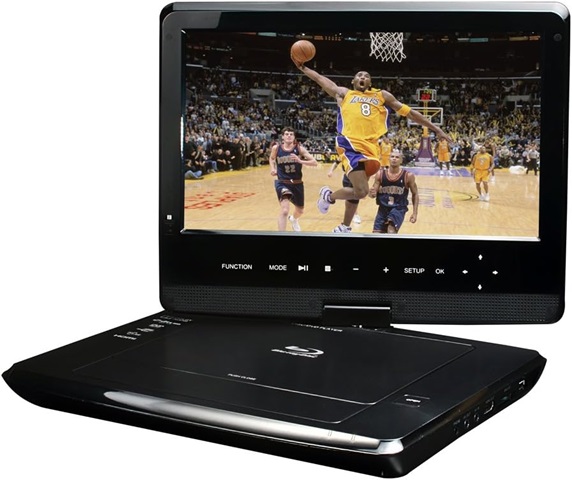
In addition to using a 3D Blu-ray player for PC, a portable Blu-ray player is also a good option to take into consideration, especially if you are looking to enhance your on-the-go entertainment experience. With its immersive visuals and captivating audio, a portable 3D Blu-ray player can transport you to another world, no matter where you are. In this part, we will show you 3 excellent portable 3D Blu-ray players.
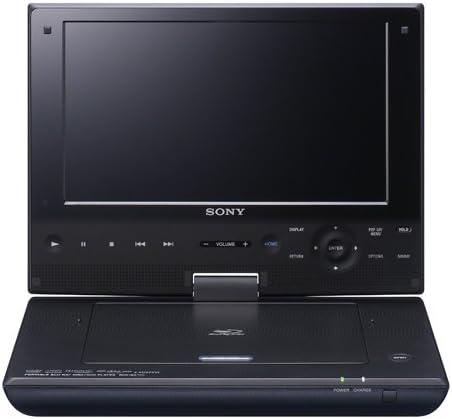
It is a premium device that delivers exceptional entertainment on the go. With its stunning 9″ 1080P Full HD screen, immersive Dolby Digital and DTS surround sound, and long-lasting 3-hour rechargeable battery, you can enjoy your favorite movies, TV shows, and music in fascinating clarity and detail.
The player supports a wide range of media formats, including Blu-ray discs, DVDs, CDs, USB flash drives, and SD cards. It also features HDMI output, AV input, and USB connectivity, allowing you to connect to various devices. Whether you’re relaxing at home or on the move, the Sony BDP-SX910 Portable Blu-ray Disc Player is the perfect way to experience the magic of Blu-ray.
Elevate your on-the-go entertainment with the Azend Group Corp BDP-M1061 Maxmade Portable Blu-Ray Player. Equipped with a vibrant 12.5″ 1080P Full HD screen, this portable 3D Blu-ray player can deliver eye-catching visuals of your favorite movies, TV shows, and music. This 3D Blu-ray player also supports a variety of 3D audio formats, including Dolby TrueHD and DTS-HD Master Audio to enhance your viewing experience.
The Azend Group Corp BDP-M1061 Maxmade Portable Blu-Ray Player is a great option for anyone who wants to be able to watch Blu-rays and other media on the go. It is also a good option for anyone who wants to be able to watch 3D Blu-ray movies.
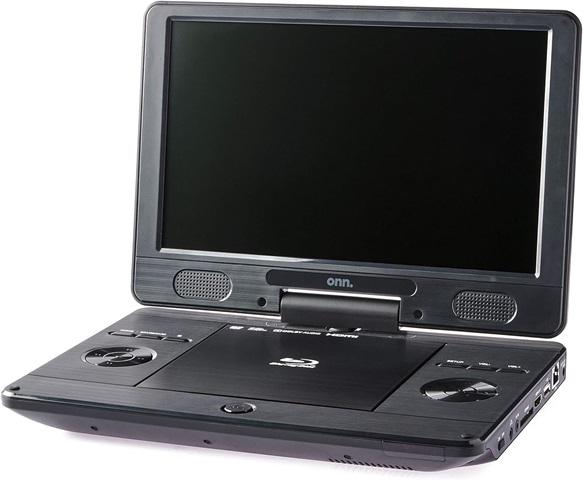
This portable Blu-ray player features an 11″ high-resolution HD display screen that can swivel 90 degrees to the right and 180 degrees to the left. Its compact and lightweight design makes it easy to carry with you wherever you go, while its vibrant 11″ HD display delivers stunning visuals that bring your favorite movies and TV shows to life.
It also has Dolby Digital and Dolby Digital Plus decoders for immersive audio while it supports a wide range of media formats, including Blu-ray discs, DVDs, CDs, USB flash drives, and SD cards. Plus, its long-lasting battery can provide up to 3 hours of playback on a single charge. Whenever you are, the ONN Portable Blu-Ray Player is the perfect way to experience the magic of Blu-ray.
Blu-ray 3D discs use a special format that allows two separate images to be stored on the same disc. When a Blu-ray 3D disc is played on a 3D Blu-ray player, the two images are combined to create a single 3D image while regular Blu-ray discs only store a single image.
To watch Blu-ray 3D discs, you will need a 3D Blu-ray player. 3D Blu-rays offer a better viewing experience than regular Blu-rays. However, they also have higher requirements for playback equipment. Therefore, it is essential to choose the best 3D Blu-ray player when you want to play 3D Blu-ray.
To play 3D Blu-ray discs, you need:
Once you have collected all the necessary devices, simply insert the Blu-ray 3D disc into the player and select the 3D playback option. Then the 3D Blu-ray player will output the video in 3D format, allowing you to see all the highlights of the movie.
3D Blu-ray is a media format that uses the Multiview Video Coding (MVC) standard to encode two separate video streams, one for each eye, into a single Blu-ray disc. The most common 3D format used for Blu-ray 3D includes:
You can easily purchase 3D Blu-ray discs from Amazon, or eBay, or download 3D Blu-ray movies from some 3D movie sites. Here are a few 3D movie sites that include rich 3D Blu-ray content for your favor.
| 1. 3D YouTube | YouTube has millions of 3D videos. You can filter them by choosing “3D” in the “FILTER” and enjoy free 3D videos with your 3D glasses. |
| 2. 3D-HD.CLUB | This site allows free downloads of full HD 1080p 3D movies and lets you enjoy viewing in virtual reality. |
| 3. The Pirate Bay | “The Pirate Bay is the galaxy’s most resilient BitTorrent site”. That’s true, you can find almost any 3D Blu-ray on it. However, the website is easy to be blocked. |
If you do not have a dedicated 3D monitor, you can use a premium 3D Blu-ray player software, such as VideoByte Blu-ray Player, to enable 3D mode. This allows you to experience 3D depth on any standard screen after wearing 3D glasses.
VLC media player shows a split screen (Side-by-Side or Top-and-Bottom) because it lacks native, automatic 3D hardware decoding and rendering capabilities. To fix it, you would either have to manually install complex third-party OpenGL plugins and configure advanced settings, or use other professional 3D Blu-ray player that support 3D output.
Do you get your optimal pick from these 3D Blu-ray player software? To sum up, if you’re giving a thought to the price-performance ratio, VideoByte Blu-ray Player ensures high-resolution playback with superior audio quality at the most decent price. Better yet, it’s able to play Blu-ray discs, DVDs, CDs, and VCDs that are protected by region codes. However, if you’re a regular watcher on YouTube or Vimeo, PowerDVD 19 offers a seamless integration.
Hot Articles
by in 7 February, 2025
by in 7 February, 2025
by in 7 February, 2025



 English
  Korean
  Dutch
Dutch  Chinese
  Italian
  Spanish