




 Lark
Lark
 29 May, 2026
Play Blu-ray/DVD
29 May, 2026
Play Blu-ray/DVD

Enjoy Cinematic Blu-ray Movie Playback
Forward this article:



For those seeking a wonderful digital movie experience, Blu-ray discs are irreplaceable with their lossless image and audio quality. However, it’s not easy to enjoy Blu-ray videos with a built-in player on PC, due to complex, encrypted copyright, which is hard to handle. For that, we deeply review and pick the most recommended 10 Blu-ray player software for Windows, from open-source to top professional ones, helping you to choose the right tool to play your Blu-ray collection well.
 How we test
To provide hands-on reviews, we test each software with original, encrypted 4K Blu-ray discs and an external UHD Blu-ray drive on Windows 10. Each player is strictly graded on Blu-ray-specific metrics: its ability to automatically bypass advanced AACS and BD+ encryptions, video and audio output quality, native menu navigation, CPU/GPU usage, and more.
Best For: Playing Blu-ray disc collections from different countries with lossless quality.
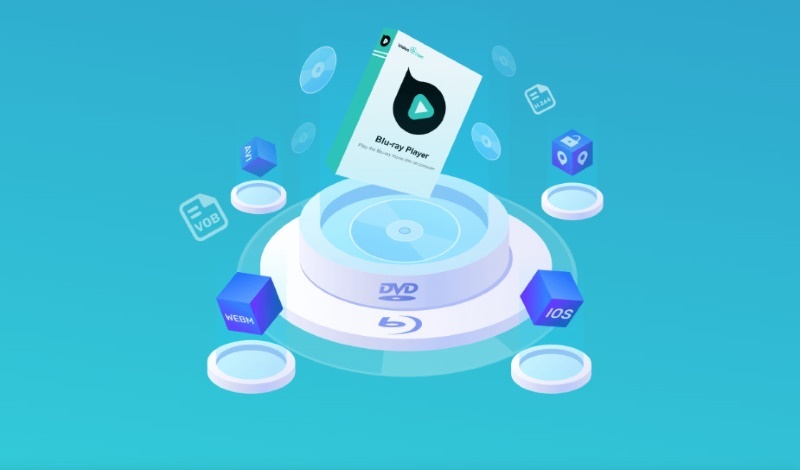
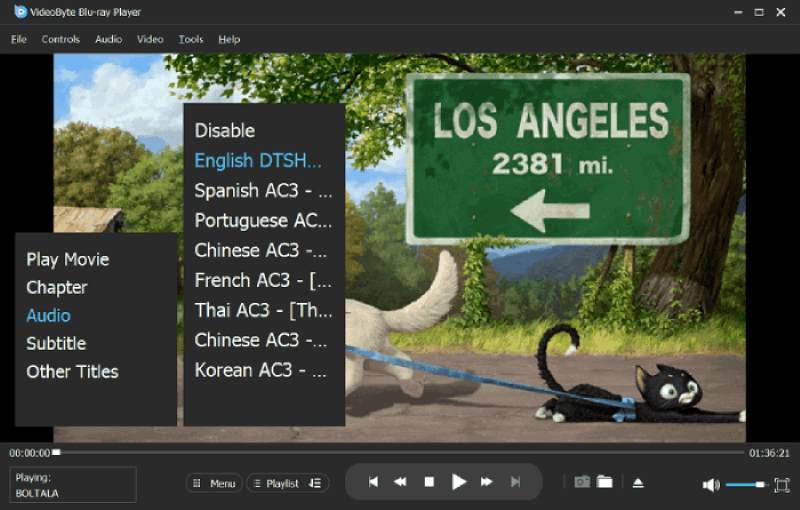
VideoByte Blu-ray Player is one of the best Blu-ray players for PC. It offers a high-quality Blu-ray/DVD/ common video (MP4, MOV, FLV, VOB, and more) playback for users to enjoy fluent 1080p/4K movie streaming on Windows. Even if encrypted disc files, the player will bypass all region codes while keeping the original Blu-ray menu. Additionally, it can efficiently read Blu-ray discs at high speeds while consuming minimal CPU resources, to provide a fluent viewing. It supports great sound quality with built-in DTS and Dolby services to gain a cinema-level listening experience at home. During the playback, you can change many setting parameters to advance the video image effect, such as brightness, saturation, cropping, etc. Plus, this software has a simple and clear interface that helps beginners quickly master it.
| Price | 1-Month Plan: $29.95 Single License: $44.96 |
| Features | • Supports Blu-ray/DVD discs/folders/ISO files playback. • Plays both homemade and commercial Blu-ray discs with any region codecs. • Outputs high-definition 1080P/4K Blu-ray videos. • Offers various audio formats, including DTS, Dolby Digital, and Dolby TrueHD. • Supports all popular media formats such as MP4, MKV, MPG, TS, WebM, VOB, MOV, and more. • Advanced playback features, such as snapshot taking, chapter skipping, 3D playback, subtitle support, and more. • GPU acceleration for keeping the fluent playback. |
| Cons | • A little expensive for a monthly subscription plan. • Some advanced features can be used in the Premium version. |
Tutorial on How to Use the Blu-ray Disc Player for Windows
It’s available to watch the video at the top of the page, or follow along with the step-by-step guidance below.
Step 1. Install and open the program on your pc.
Step 2. Connect the Blu-ray player hardware to your Windows and insert the Blu-ray disc. Click the Open Disc button and select the inserted one.
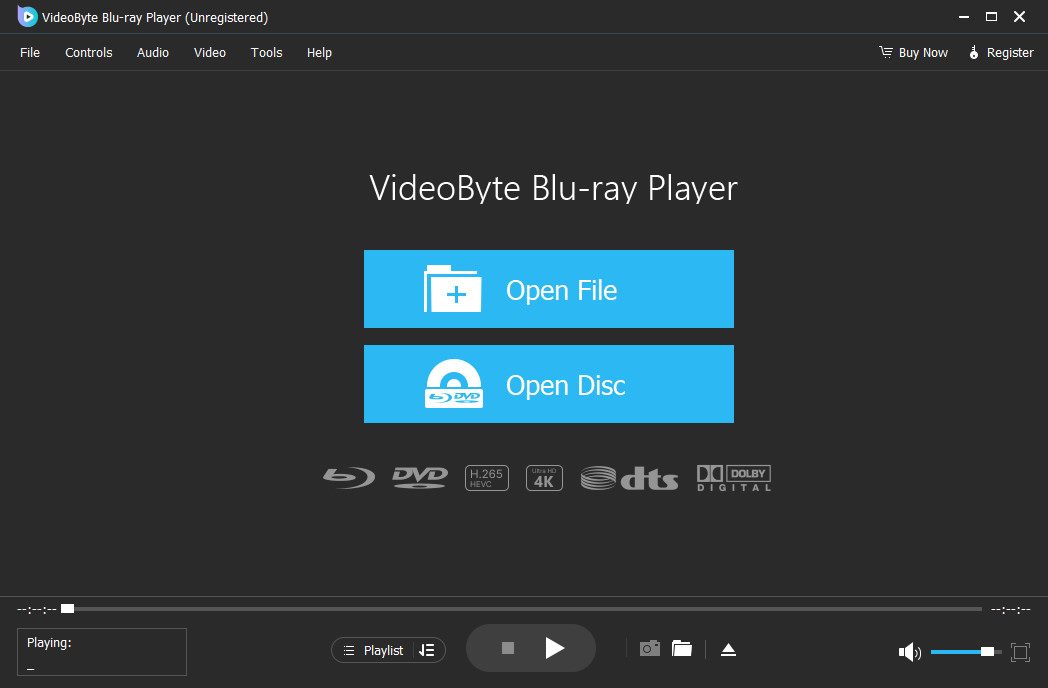
Step 3. Once the loading is complete, select chapters and start playing the Blu-ray movies with the best image and sound quality.
User Experience
"After trying a few other options, VideoByte was the best by far. Even though all the ones I tried claimed to be able to play everything (region-free), the only one that worked properly was Videobyte. I purchased a license last Sept." — Real review from Trustpilot.
It is truly a zero-setup solution. I just connected my external drive, popped in a heavily encrypted Region-B 4K UHD disc, and it started playing in under 5 seconds. Best of all, the Dolby Atmos audio works perfectly with zero sync issues. If you want to skip the operation difficulty and just enjoy your movies, this is worth every penny.
Best For: Power users who are looking for a high-performance player with a home cinema experience.
PowerDVD 24 Ultra is a versatile Blu-ray player for Windows that can bring the cinema to your home by providing an enjoyable Blu-ray playback experience. You can watch your favorite video content in various formats, including MP4, MKV, MOV, AVI, WebM, etc. Supported by TrueTheater technology, it enhances video and audio quality, offering 4K Ultra HD and even 8K video playback with DTS-HD, Dolby Audio, and Hi-Res 7.1 surround sound. Please note that PowerDVD has additional versions called PowerDVD Standard, to avoid buying the wrong one and causing the Blu-ray video to fail to play. The Standard version only supports DVD and CPRM-protected discs.
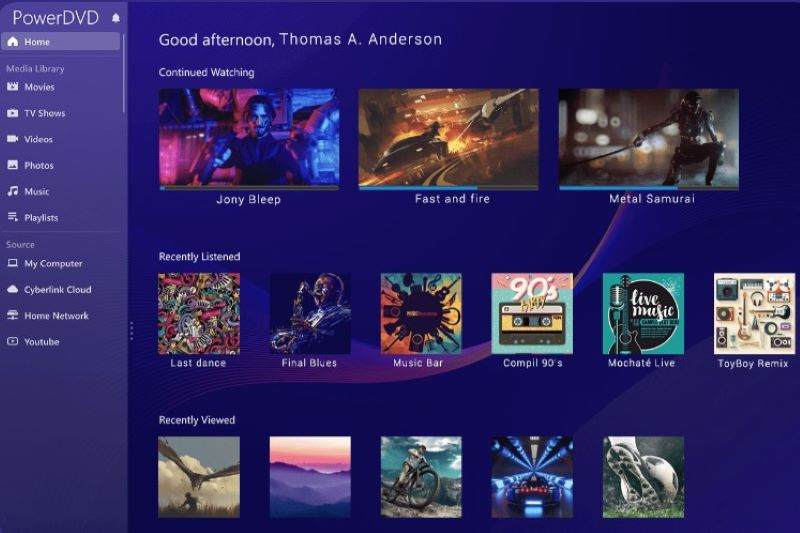
| Price | $99.99 |
| Features | • Supports streaming both YouTube and Blu-ray/DVD, and common media videos offline. • Offers up to 8K for enjoying media content with the best quality. • Supports common media formats such as MP4, MKV, HEVC, AVC, and XAVC-S. • Offers nice audio quality by providing Dolby Digital Surround, DTS, and Hi-Res Audio support. • Remembers the stopping point to let you quickly find the last streaming location. |
| Cons | • The fixed price is quite high. • Many advanced functions seem excessive for common users. • Large feature gaps exist between the Standard and Ultra versions. |
User Experience
"I believed it would let me play Blu-ray on my Windows machine…it cannot play 4K UHD disc, which makes it less of a product than the many free-to-download apps that can be found that do. It will play almost any media file you have and quick, as long as you do not want to play a 4K disc." — Real review from Amazon.com.
Best For: 4K Blu-ray menu navigation and a lossless Dolby Atmos audio experience.
PlayerFab Ultra HD Player (called DVDFab Player 6 Ultra for Mac) is a reliable Blu-ray player for a local ultimate audio-visual experience. It plays all types of optical discs, including DVDs, Blu-rays, and 4K Ultra HD Blu-rays, ISO Files & Folders free from region codes. Moreover, it is equipped with a powerful engine so that the Blu-ray discs/files loading speed can be faster and more fluent. One of the great features is that you can easily control your playback with Menu Mode and Simple Mode, such as navigating disc content or skipping the clutter. This Blu-ray player offers both PC and TV modes to allow users to play Blu-ray/DVDs in a selectable experience on larger screens, making Blu-ray streaming easier at home.
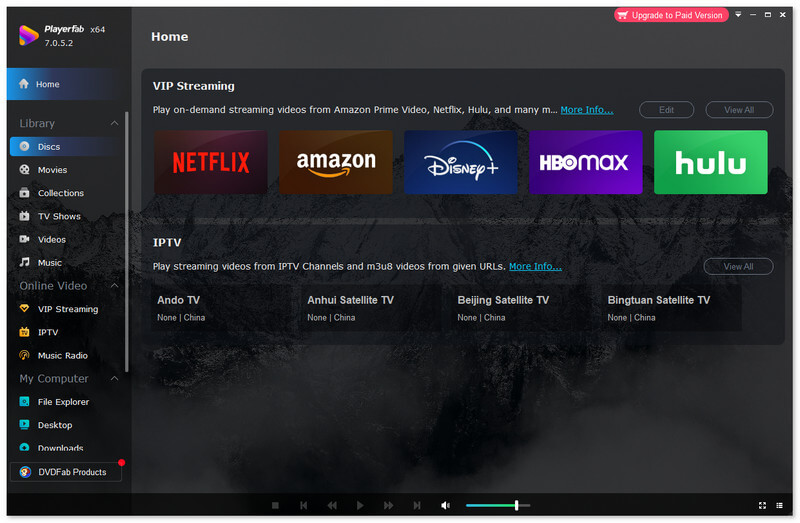
| Price | 1-Year License: $59.99 Lifetime License: $79.99 |
| Features | • Supports 3D Blu-ray discs/folders/ISO playback. • Offers better audio quality by supporting Hi-Res audio output. • Offers better visual effects by supporting the playback of 4K HDR resolution. • Provides flexible playlist and preview settings to stream Blu-ray videos in a personalized way. • Offers navigation menus for flexible viewing. |
| Cons | • The system is unstable sometimes. • Its regional unlock is limited to physical media, not streaming. |
You May Like:
User Experience
"…currently capable of decrypting and playing UHD Blu-ray is PlayerFab, which is a reverse-engineered (unauthorized) Chinese software that is both a bit buggy and not cheap. But it does work." — Real review from Reddit.
I have to say that PlayerFab Ultra HD Player is licensed for Blu-ray & UHD playback. But compared to those products that have the same functions, its price plans are much higher.
Best For: Everyday users seeking a free solution that handles basic 4K and HD playback.
You can play Blu-ray with VLC media Player on multiple system devices. It is a free Blu-ray media player for PC that supports streaming any multimedia files. Despite being a free tool, VLC media player delivers video and audio quality comparable to paid software. It also boasts advanced features like video effects, an audio equalizer, and a hardware decoder. However, it’s important to note that VLC can only play DRM-free Blu-ray videos. For protected discs, you may need to utilize plug-ins.
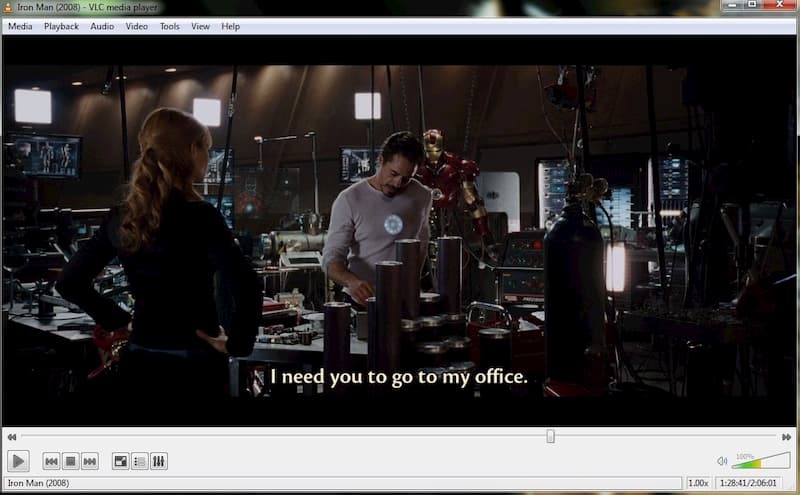
| Price | Free (Open-source) |
| Features | • Offers free Blu-ray/DVD/media files playback without the need to pay. • Plays DRM-free Blu-ray discs and local videos/audio files. • Solves the hardware decoding problem and provides O-Copy on GPU. • Supports full 1080P resolution playback for Blu-ray discs. • Provides advanced playback features such as playback speed control, subtitle synchronization, and filters for video and audio. |
| Cons | • Choppy or lagging in 4K HEVC video playback. • Operating the complex feature interface is a waste of time. • The program crashes occasionally while running. • Need other codec packages to decrypt some videos. |
User Experience
"I am trying to get VLC to play Blu-rays and followed the linked instructions, but I am still getting the 'Needs a library for AACS decoding' error.
I stopped trying to make VLC work for Blu-rays. The whole AACS file setup, MakeMKV integration, and Java tweaks for menus felt like too much work." — Real review from Reddit.
You may find it hard to play discs normally after trying to configure VLC with complex files. Try VideoByte Blu-ray Player instead! It enables one-click decoding and fluent playback.
Best For: Playing high-definition local Blu-ray videos with zero setup hassle.
Another highly recommended region-free Blu-ray player for Windows/Mac is Leawo Blu-ray Player. Like VideoByte Blu-ray Player, Leawo supports the playback of Blu-ray discs/folders, ISO files, DVD discs, and also common media formats such as MP3 and MP4 files. It supports DTS5.1, Dolby, AAC, TrueHD, DTSHD, and other advanced audio decoding technologies to enhance the video performance. You can also select preferred subtitles and audio tracks during playback for better enjoyment. However, it has ads in a free version, so the user interface would be less user-friendly.
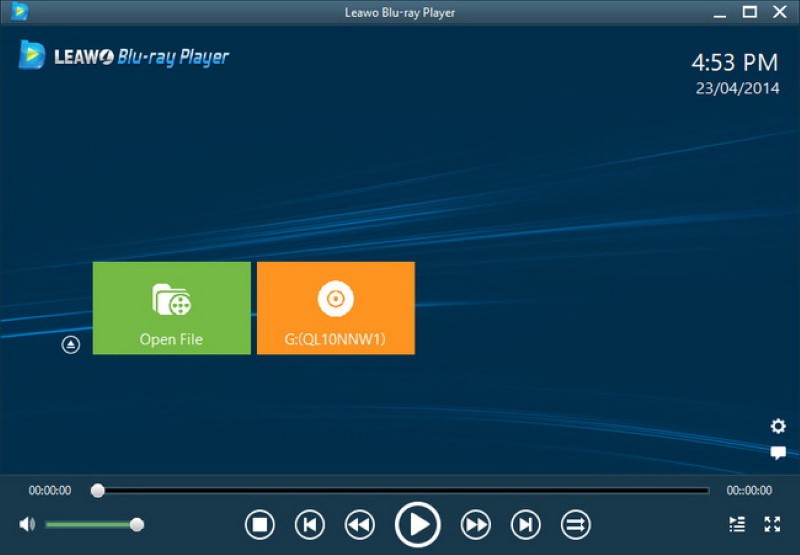
| Price | 1-Year Plan: $44.95 Lifetime Plan: $99.95 |
| Features | • Supports the streaming of Blu-ray/DVD/regular content with selectable subtitles and audio tracks. • Sets no region limitations in playing any Blu-ray/DVD discs. • Dominates low CPU to ensure fluent playback. • Uses audio decoding technologies, including Dolby, AAC, TrueHD, DTS-HD, DTS 5.1, etc., to bring good audio quality. |
| Cons | • There are pop-up ads in both the free version and the Premium version. • Lower performance with high CPU usage. • Failed to encrypt some Blu-ray discs with the new codes. • Limited disc support. |
You May Like:
User Experience
"I recently purchased the pro version of the Leawo Blu-ray player software, which I had a number of issues with on my external Blu-ray drive on my PC. On trying several discs, load times were 2 to 3 mins on average, menus wouldn't load properly either, and it would play random chapters." — Real review from Trustpilot.
Best For: Users are looking for a robust Blu-ray player for PC with advanced hardware acceleration to load high-definition Blu-ray discs.
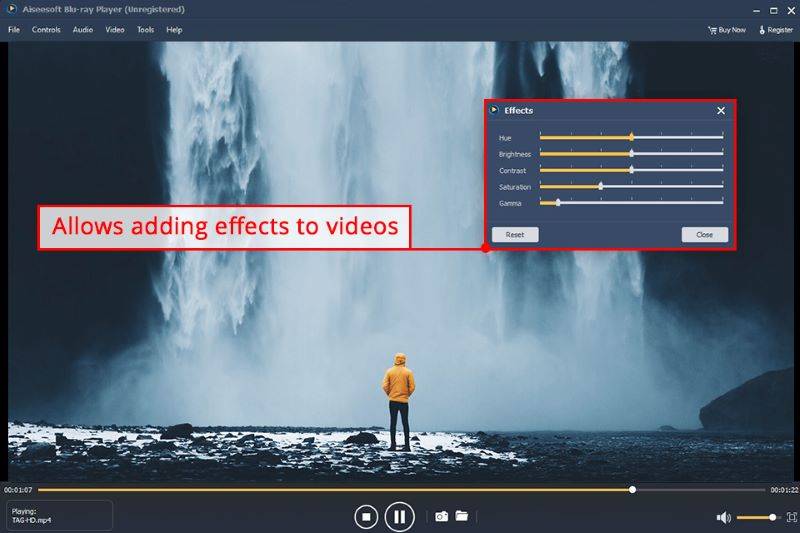
Aiseesoft Blu-ray Player provides a fluent Blu-ray playback experience for Windows and Mac users. It allows users to stream Blu-ray with high HD 1080p and 720p without quality loss. Besides, for common videos, it even supports playing content with up to UHD 4K quality smoothly. You can customize your playback effects through multiple settings and menu navigation, like audio tracks/chapters/subtitles switching, quick snapshot, and image adjustment. If you have lots of videos you want to play, creating and managing your own media playlists is an effective option.
| Price | 1-Month License: $15.60 Lifetime License: $49.96 Multi-user License: $79.96 |
| Features | • Plays commercial Blu-ray discs without regional limitations. • Offers high 1080p/4K quality to play videos offline. • Supports streaming MP3, FLAC, WMA, AAC, OGG, and more audio files with 100 percent original audio quality. • Allows creating playlists for convenient watching. • Provides advanced playback features like subtitle support, custom parameter settings, etc. |
| Cons | • Lack of an AI upscaling feature to improve image quality. • Runs slowly on older or less powerful computers. |
User Experience
"I LOVE my new Aiseesoft Blu-Ray software!!! Considering how much this means to me, the price was a bargain (the software was under $65!) Plus, the picture quality is fabulous. I just finished watching a Blu-Ray French film from the sixties…I look forward to watching a few more Blu-Rays next weekend!" — Real review from Trustpilot.
Best For: Playing Blu-ray ISOs and folders without heavy CPU usage.
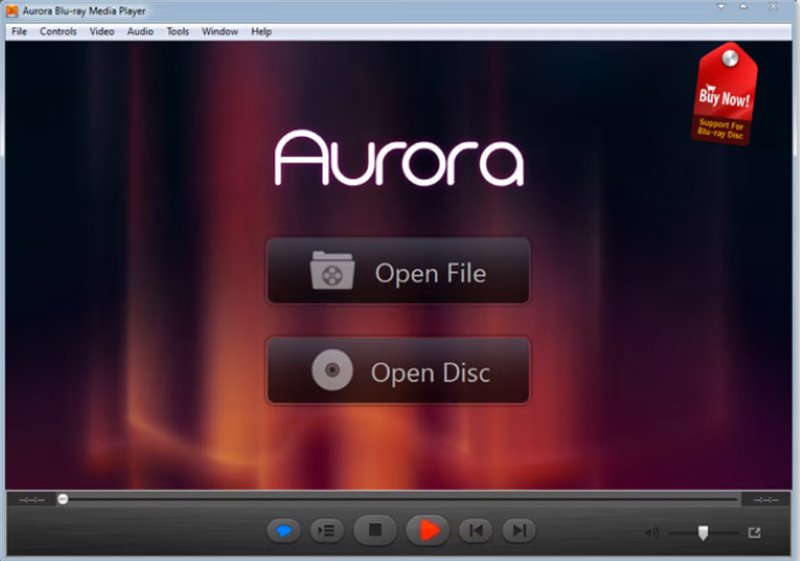
Aurora Blu-ray Media Player offers good ability to stream Blu-ray discs/ISO files. Its navigation menu with a panoramic view of the disc allows you to choose a preferred playback effect. Although it is a Blu-ray player for Windows, it can also be used to stream AVCHD, MKV, FLV, MPEG-4, or MOV videos with the best quality. However, it requires higher CPU usage than other programs, which can take up half of your computer’s processing power.
| Price | For Windows: 1-Month License: $29.95/Lifetime License: $39.95 For Mac: 1-Month License: $19.95/Lifetime License: $49.95 |
| Features | • Offers high-quality image playback. • Supports reading and playing subtitles and audio tracks of different languages. • Supports high audio quality such as DTS 7.1, DTS HD, AC3/DTS 5.1. • Shares Blu-ray movies or video content through social networks. |
| Cons | • No advanced menu options. • Incompatible with the Windows 11 system. |
User Experience
As a universal media player, Aurora Media Blu-ray Player can not only play Blu-ray HD movies on PC, but also support any formats of movie, video, audio, music, and photo you have ever seen, including ISO format. Aurora Blu-ray Media Player can support Windows systems perfectly, especially Windows 8. But note that it can’t work for Windows 11 - Some users who plan to upgrade their system need to pay attention.
Best For: Download and play videos online without subtitles.
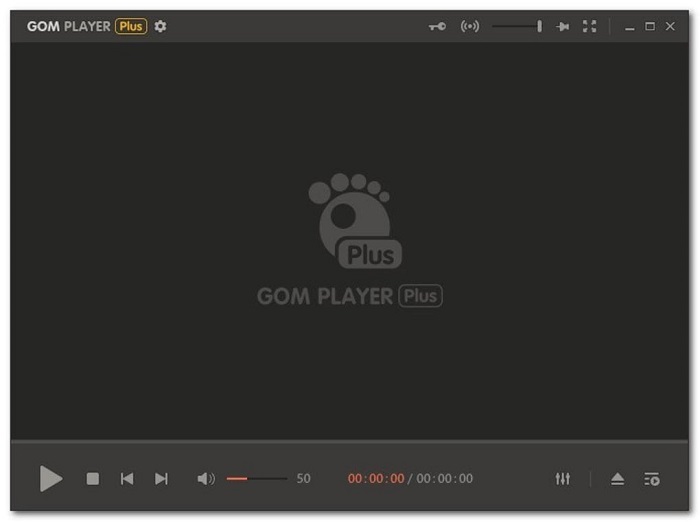
GOM Player is designed to play a wide variety of media formats, including Blu-ray discs, DVDs, CDs, and more. One of its biggest features is its powerful online subtitle library. If your movie is not included in the built-in library, this Blu-ray player for PC will automatically search the web and sync the correct subtitles. If you like watching Blu-ray discs with subtitles, then this player is a good choice. Various external codecs allow you to play most videos, even parts of corrupted or incomplete files. However, it can be a bit resource-intensive, especially when playing high-definition video files. This can cause problems for users with older or low-powered computers.
| Price | Free |
| Features | • Offers basic features to play Blu-ray content with high quality on both Windows and Mac • Supports the playback of all multimedia formats • Automatically searches and syncs subtitles for the playing Blu-ray movie |
| Cons | • Ads interrupt the user’s experience. • Bundled with other software. • Unstable operation on older computer systems. • Lower performance for playing high-quality videos. |
User Experience
If the player cannot find the codec, it will automatically search for it online. Once it locates the relevant one, you’ll be directed to a site to download it. Beware when you are downloading this software, as it might try to sneak in some unwanted programs and make some changes. It is easy to miss unless you reach through the GOM Player installer with a critical eye.
Best For: Seamless Blu-ray video playback in high definition.
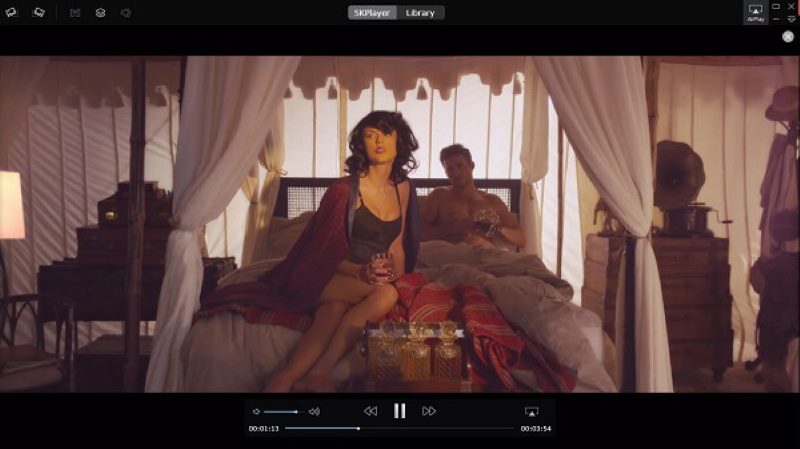
5K Player is famous for its abilities of AirPlay and DLNA media playback. Additionally, it reads DVD/Blu-ray discs for offering high-quality streaming (this feature requires users to activate before using it). This free software will offer the best sound and audio quality to ensure a pleasant playback procedure. However, as freeware, it can be a bit resource-intensive and lacks the advanced features of other media players.
| Price | Free |
| Features | • Streaming UHD videos, music, and DVD/Blu-ray discs. • Built-in AirPlay receiver for streaming content from iOS devices. • Offers hardware acceleration to stream media files fluently. • Supports high quality, such as 4K and 8K. • Offers an online video downloader to keep videos from online platforms. |
| Cons | • Can’t play damaged or corrupted files. • No multi-monitor setup support and the Picture-in-Picture mode. • Without video and audio editing features. |
User Experience
"Though performance depends on hardware strength, 5KPlayer delivers consistent quality for most users looking for a dependable all-purpose player…It also offers DVD playback, including ISO and VIDEO_TS support. While registration enhances certain functions, the core features remain free and accessible." — Real review from Softonic.
Best For: Playing Blu-ray discs without navigating complex settings.
Free Blu-ray Player delivers basic Blu-ray playback, rendering Blu-ray discs, folders, and ISO files. It preserves the original picture and sound quality, ensuring a truly immersive viewing experience. Additionally, it offers the flexibility to select audio tracks and subtitles to customize your Blu-ray enjoyment. While providing basic Blu-ray playback functions, for those seeking more advanced features, an upgrade to Blu-ray Player Pro is available.
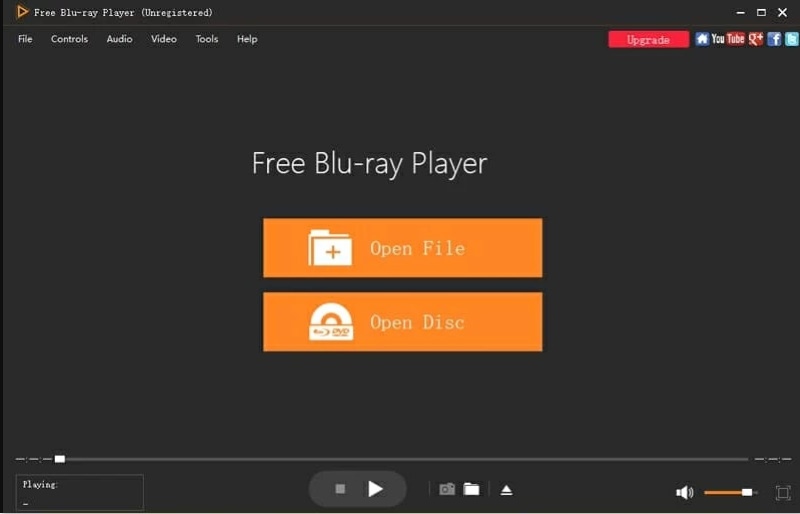
| Price | Free |
| Features | • Plays Blu-ray discs, DVDs, CDs, video files, and audio files. • Offers high-quality playback of Blu-ray discs in 1080P. • Supports a variety of audio formats, including DTS, Dolby Digital, and TrueHD. • User-friendly interface. |
| Cons | • Not available with advanced editing features. • Can’t work on older operating systems. |
User Experience
"Free Blu-ray Player is able to handle all files associated with this format. Even partitioned folders such as ISO files will be recognized. This will often prove to be somewhat problematic for other video plug-ins…More advanced editing options are not available with this package. It may not be compatible with older operating systems." — Real review from Softonic.
• Well-matched Operating System
Make sure the software supports Windows 10 or lower, without requiring extra compatibility troubleshooting or system downgrades. All of the 10 Blu-ray players here meet the requirement.
• Region-free & Decrypted Blu-ray Playback
You should choose a tool that automatically bypasses advanced AACS/BD+ copy protections and unlocks regional barriers (Regions A, B, C).
✅️Recommends: VideoByte Blu-ray Player, Leawo Blu-ray Player
• High-quality Image Resolution
Looking for a player capable of rendering raw 4K UHD resolution and HDR10 colors without compression or frame drops during heavy disc decoding.
✅️Recommends: PowerDVD 24 Ultra, Leawo Blu-ray Player, 5K Player, VideoByte Blu-ray Player
• Lossless Audio Effects
The software should fully support advanced audio passthrough for cinematic, surround-sound formats like Dolby Atmos and DTS:X without quality loss.
❌️Not Recommended: VLC Media Player, GOM Player, 5K Player
• Moderate Pricing Plans
Never overcharge for basic features. You have to value products, services, and pricing plans like a fully functional free trial or a flexible lifetime plan.
✅️Recommends: VideoByte Blu-ray Player (cheapest), Aiseesoft Blu-ray Player, Aurora Blu-ray Media Player (I don't recommend totally free tools because their features are incomplete.)
| OS | Auto-decryption | Video Quality | 3D Playback | Audio Effects | Pricing | |
|---|---|---|---|---|---|---|
| VideoByte Blu-ray Player | Windows 11/10/8.1/8/7/XP, macOS X 10.11 or higher | AACS and BD+, Region A, B, and C | 1080P HD/4K Ultra HD | ✅️ | DTS and Dolby Digital | Month: $29.95 Lifetime: $44.96 |
| PowerDVD 24 Ultra | Windows 10 (64-bit OS only) | AACS and BD+ | 4K UHD/8K | ✅️ | DTS-HD, Dolby Audio, and Hi-Res 7.1 surround sound | Lifetime: $79.99 |
| PlayerFab Ultra HD Player | Windows 11/10/8.1/8/7 (32/64 bit) | AACS decoding | 4K | ✅️ | Dolby Atmos, Dolby TrueHD, DTS-HD Master, and DTS:X | 1-Year: $59.99 Lifetime: $79.99 |
| VLC Media Player | Windows XP SP3 – 11, macOS X 10.7.5 or later | ❌️ (install third-party libraries and key databases) | SD/HD/4K | ❌️ | Built-in EQ Presets | Free |
| Leawo Blu-ray Player | Windows 7/8/8.1/10/11, macOS 10.13 and later | AACS, BD+, and region codes | 4K/8K | ✅️ | Dolby, DTS, AAC, TrueHD, DTS-HD (5.1 and 7.1 channels), and DTS-X | 1-Year: $44.95 Lifetime: $99.95 |
| Aiseesoft Blu-ray Player | Windows 11/10/8/7, mac OS X 10.9 or higher | AACS and BD+ | 1080p/720p HD | ✅️ | Dolby TrueHD and DTS-HD Master Audio | Month: $15.60 Lifetime: $49.96 Multi-user: $79.96 |
| Aurora Blu-ray Media Player | Microsoft Windows XP (SP2 or later), Windows Vista/7/8/8.1/10, macOS X 10.8 - 10.15 Catalina | AACS and BD+ | 1080p/4K | ✅️ | DTS-HD 7.1, TrueHD 2.1, and DTS/AC3 5.1 | Month: $29.95 Lifetime: $39.95 |
| GOM Player | later Microsoft Windows 10(64bit), Mac OS X 10.13(High Sierra) or later | ❌️ (need to install the codec, open the MPEG-2 dec filter, or change a finite number of region codes) | 1080p/4K | ❌️ | Built-in EQ Presets | Free |
| 5K Player | Windows 10/8/7/Vista/XP,macOS/Mac OS X | AACS or BD+ | 1080p/4K/5K/HEVC | ❌️ | Built-in EQ Presets | Free |
| Free Blu-ray Player | Windows 11/10/8/7, macOS X 10.9 or above | Region-Free | HD | ❌️ | Dolby and DTS surround sound effects. | Free |
Q1: Can Windows 10 play Blu-ray discs natively?
A: No. It’s disappointing to learn that Windows doesn't have native Blu-Ray support. Due to a lack of official native Blu-ray decoding, the recommended solution is to use a third-party Blu-ray player, such as CyberLink PowerDVD, VideoByte Blu-ray Player, or Leawo Blu-ray Player.
Q2: Is VLC good for Blu-ray playback with protections?
A: While VLC is a great free media player, it cannot play commercial 4K Blu-rays natively because it lacks built-in decryption keys to bypass protections. Setting up VLC for Blu-ray requires manual installation of database files, which can be unstable and highly technical for daily users.
Q3: Do I need a Blu-ray drive for my PC?
A: Yes. Standard DVD drives cannot read Blu-ray or 4K UHD discs. You will need a dedicated internal or external Blu-ray optical drive (specifically a "UHD-friendly" drive for 4K discs) connected to your PC to read the disc data.
Each Blu-ray player for PC we shared in the post has its own unique potential. No matter which tool you choose, it depends entirely on your needs. If you want to have the best image quality, PowerDVD supports up to 8K resolution for you. Of course, it is also the most expensive one. For common users, powerful freeware options like VLC and GOM are enough to provide a great Blu-ray movie experience. However, in terms of integrative capability, VideoByte Blu-ray Player delivers region-free 4K playback with full menu support at moderate costs, which can be your preferred choice.
Hot Articles
by in 7 February, 2025
by in 26 December, 2025
by in 7 February, 2025

 English
  Korean
  Dutch
Dutch  Chinese
  Italian
  Spanish